Help Centre
The Help Centre provides clear guidance on navigating the platform, using tools, and understanding each page’s features so you can get the most out of Cape Town 101.
How To Use The Help Centre
The Help Centre is designed to guide you through every feature and tool available on Cape Town 101. Follow the sections below to quickly find what you need:
Overview of the Platform
Start here for a quick introduction to Cape Town 101, including its purpose and key features like the AI Travel Assistant, map, and tools.
How To Use Help Centre
This section explains how the Help Centre is structured and how to navigate between sections to find information quickly.
Pages Index
Browse a full index of all pages on the platform. Each page includes a short description so you understand what it offers and how to use it.
Guidelines (Tabs Section)
Explore step-by-step visual guides for key pages and tools. Each guide includes screenshots with tips to help you navigate features easily.
Overview Of The Platform​
Cape Town 101 is a dynamic travel platform designed to help both tourists and locals explore Cape Town with ease.
Instead of long blogs, we provide quick, structured, and up-to-date information on activities, restaurants, services, and experiences.
Key features include:
- AI Travel Assistant for personalised recommendations
- Interactive Map to explore locations visually
- Travel Tools like the Budget Planner and Checklist
- Itinerary Builder to plan and organise your trip
- Tagging System to filter listings by preferences
Our goal is to make discovering Cape Town fast, simple, and enjoyable.
Pages Index
Home
The homepage is your starting point, featuring category navigation, featured listings, events, and platform highlights.
Main Menu
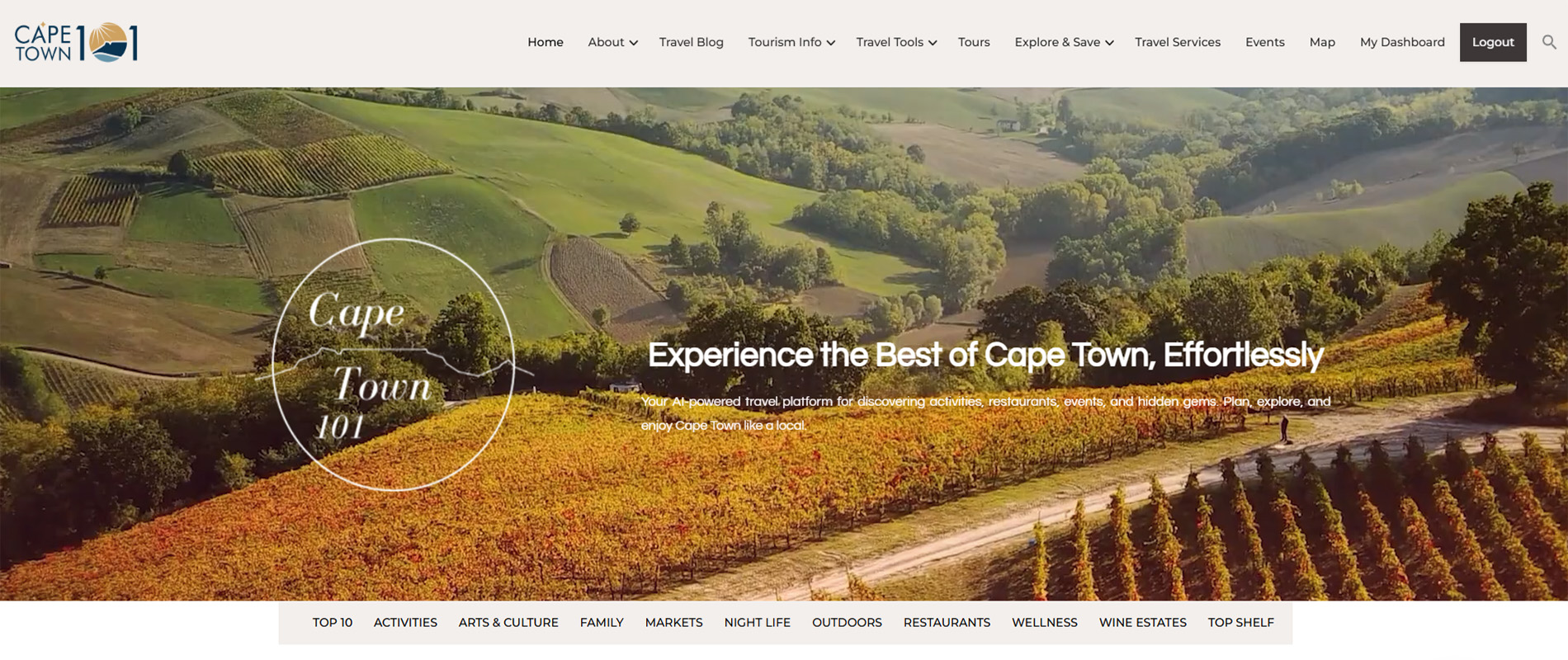
- Home: Explore featured highlights, categories, and the latest on Cape Town 101.
- About: Learn who we are, our mission, and the team behind Cape Town 101.
- Help Centre: Find step-by-step guidance on using the platform, its features, and tools.
- Travel Blog: Discover travel updates, tips, and curated Cape Town experiences.
- Tourism Info: Access essential travel information for a safe and smooth experience in Cape Town.
- Emergency Numbers: Quick access to important emergency contacts across Cape Town.
- FAQ: Find answers to commonly asked travel questions.
- Travel Tips: Helpful advice for safety, planning, and local awareness.
- Useful Apps: Discover essential apps for transport, payments, and everyday travel.
- Travel Tools: Plan and organise your trip using smart and interactive travel tools.
- Travel Budget Planner: Estimate your trip costs based on your travel preferences.
- Travel Checklist: Stay organised with a complete pre-travel checklist.
- Itinerary Builder: Create and manage your personalised travel itinerary.
- Smart Recommendations: Get personalised suggestions for restaurants, activities, and experiences.
- Tours: Browse guided experiences and adventures across Cape Town.
- Explore & Save: Discover top picks, curated itineraries, and exclusive deals.
- Best of Cape Town: Explore top-rated experiences, places, and hidden gems.
- Itineraries: Browse or build travel plans tailored to your trip.
- Specials & Discounts: Find exclusive deals and promotions across Cape Town.
- Travel Services: Access useful services like transport, guides, and travel support.
- Events: Explore upcoming and past events happening across Cape Town.
- Map: Navigate Cape Town using the interactive map and category filters.
- Dashboard: Manage your profile, account details, and saved travel content.
Sub Menu
- Top 10: Discover the top 10 iconic attractions in Cape Town, including Table Mountain, Robben Island, and the V&A Waterfront.
- Activities: Find a wide range of activities in Cape Town, from shark cage diving and paragliding to red bus tours and rose picking.
- Arts & Culture: Explore art galleries and museums like the Norval Foundation and the District 6 Museum.
- Family: Browse child-friendly family activities, including the Aquarium and Cool-Runnings tobogganing.
- Markets: Explore popular Cape Town markets, such as Mojo Market and TimeOut Market, offering food, crafts, and entertainment.
- Night Life: Discover the best bars, lounges, and nightclubs, including spots like Cabo Beach Club and Café Caprice.
- Outdoors: Find outdoor activities like hiking, beaches, and picnic spots, such as Kirstenbosch Gardens and Lion’s Head.
- Restaurants: Browse casual and fine dining restaurant listings, featuring popular spots like Codfather, Sevruga, and Chef’s Warehouse.
- Wellness: Explore wellness offerings like spas, golf courses, and running clubs, including Life Day Spa and Westlake Golf Club.
- Wine Estates: Visit wine estates in Constantia, Franschhoek, and Stellenbosch regions, including Groot Constantia and Steenberg.
- Top Shelf: A curated list of the top listings across all categories for a premium experience in Cape Town.
Additional Pages
- Privacy Policy: Learn how we collect, use, and protect your personal information.
- Terms & Conditions: Understand the rules and guidelines for using Cape Town 101.
- Contact Us: Reach out with questions or support requests via email or message form.
Choose A Tab Below To View The Guidelines
Main Menu - A menu to navigate main pages, features, and tools.
Sub Menu - A menu to navigate listing categories.
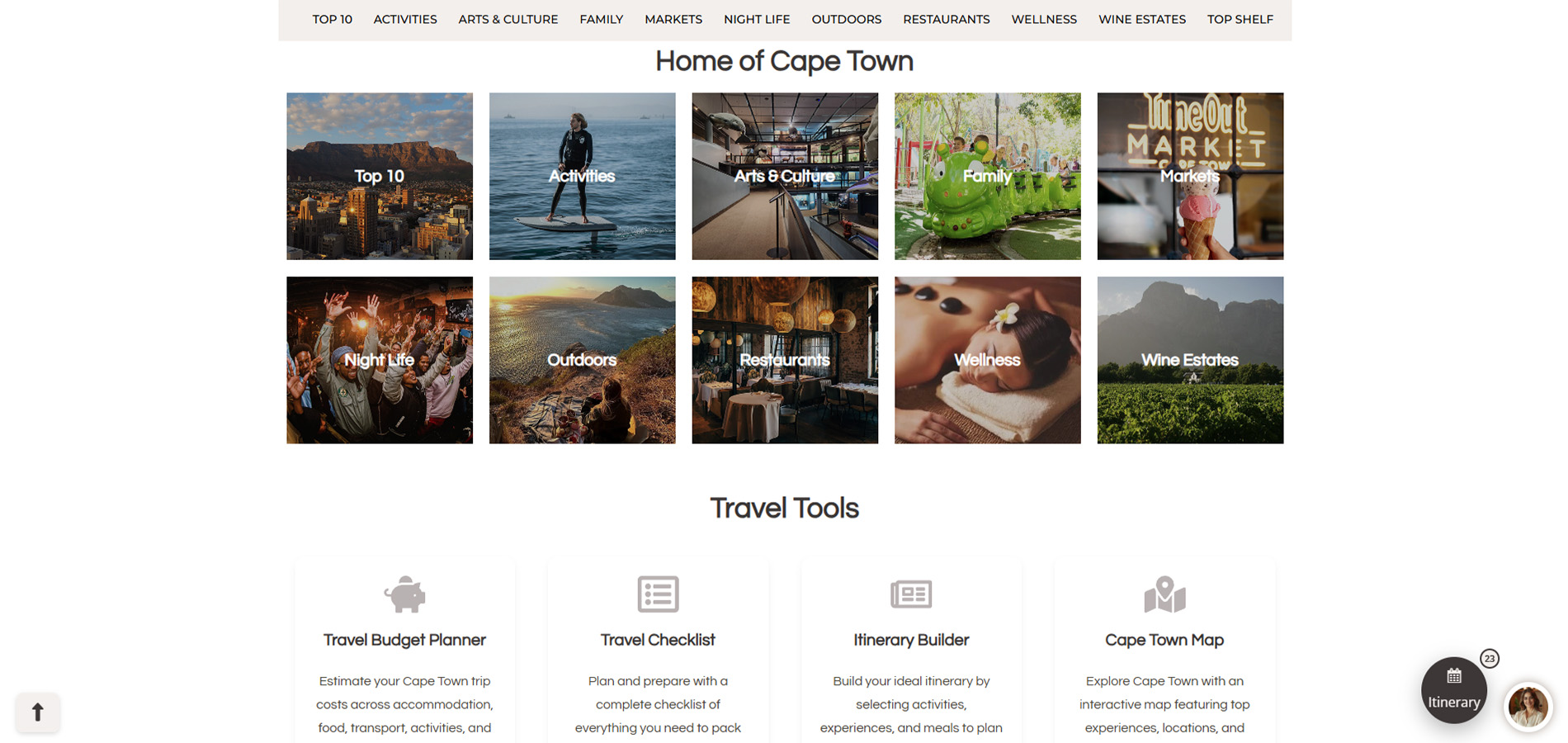
Home of Cape Town - The sub menu displayed in a visual format.
Travel Tools - Quick access to planning tools like budget, checklist, itinerary, and map.
Itinerary Builder - Shortcut
Ai Chatbot - Chatbox
Anchor -Â Redirects back to the top of the page
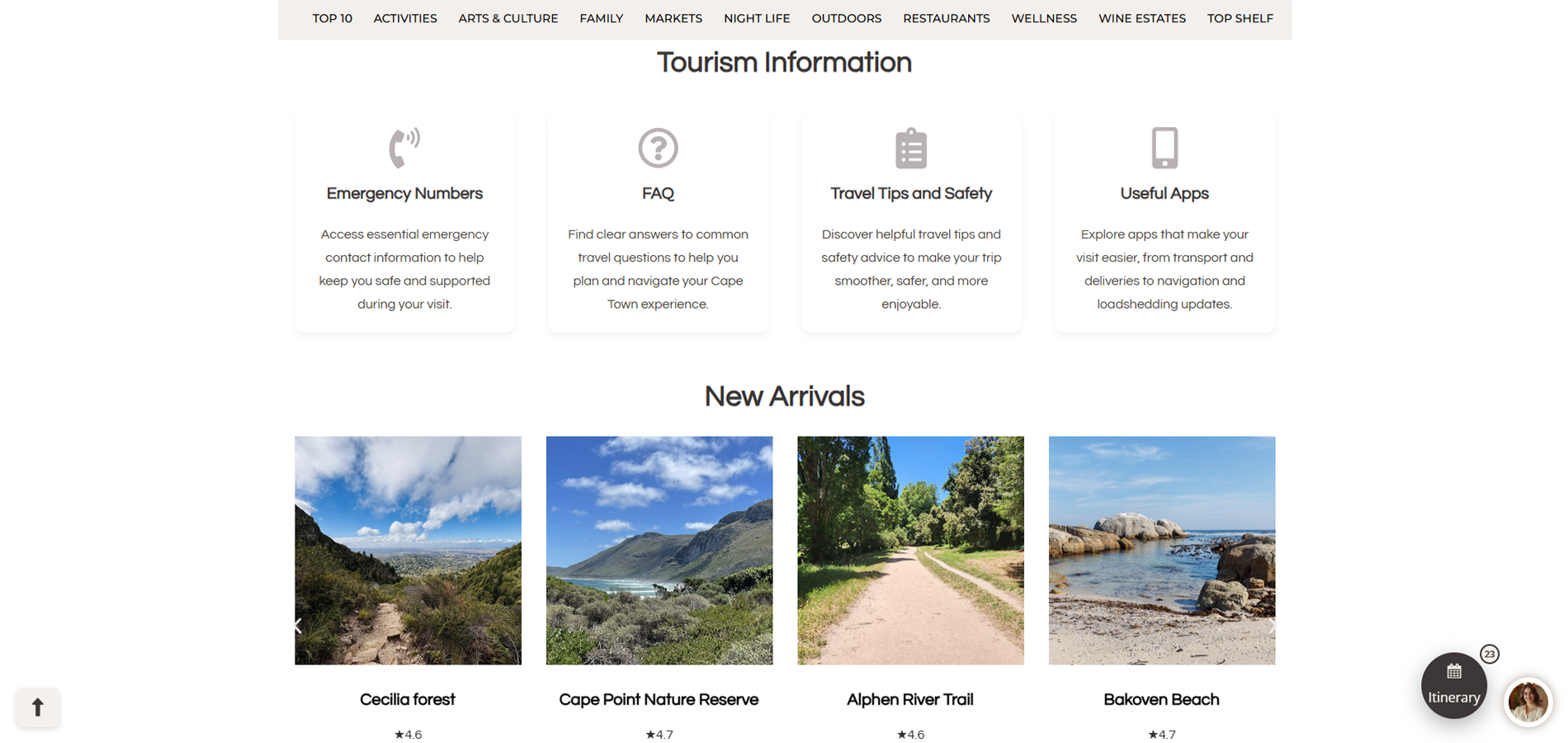
Tourism Information - Access essential travel info including safety, tips, and useful apps.
New Arrivals - Recently added listings on the platform.
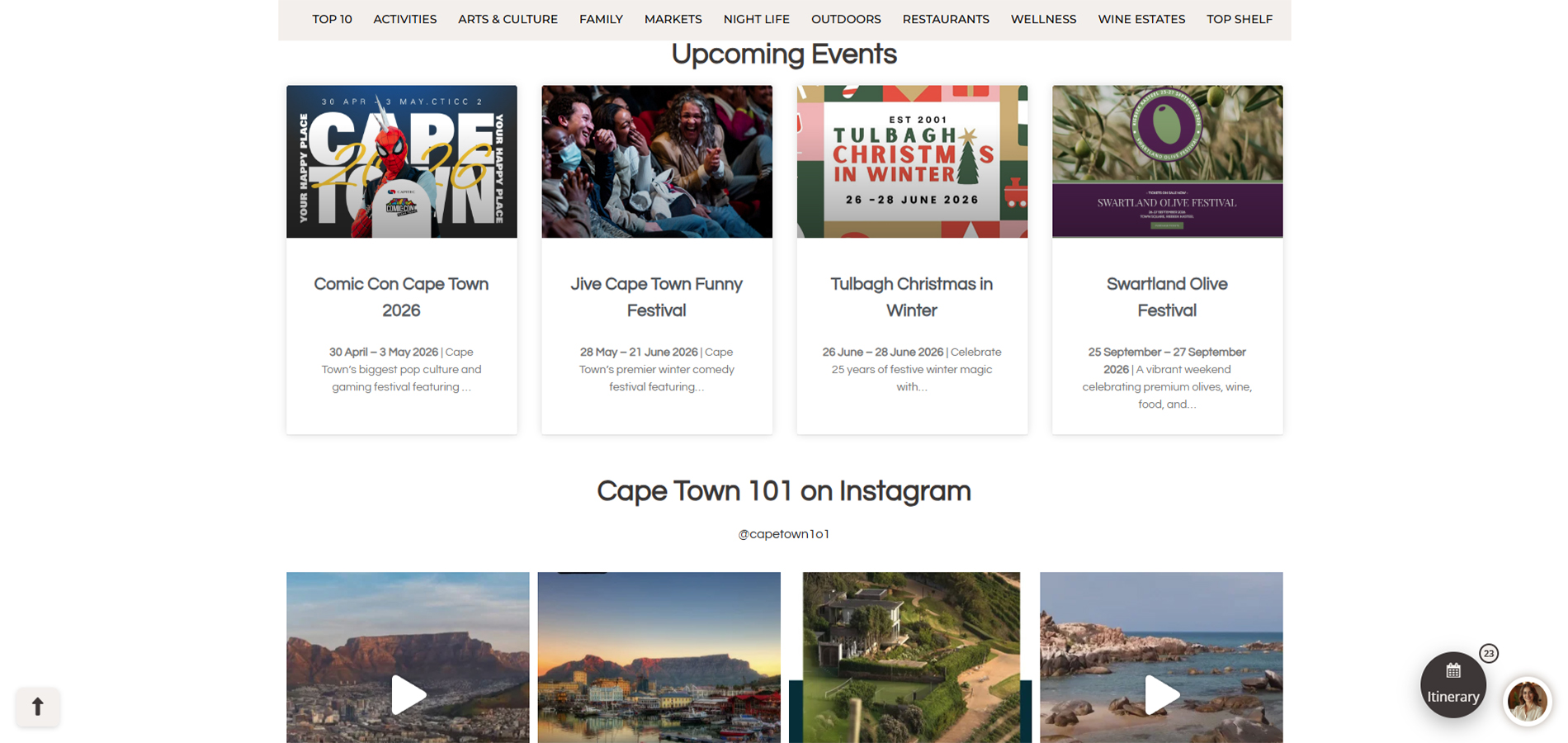
Upcoming Events - Events sorted by upcoming dates.
Instagram Feed - Latest posts and updates from Cape Town 101.
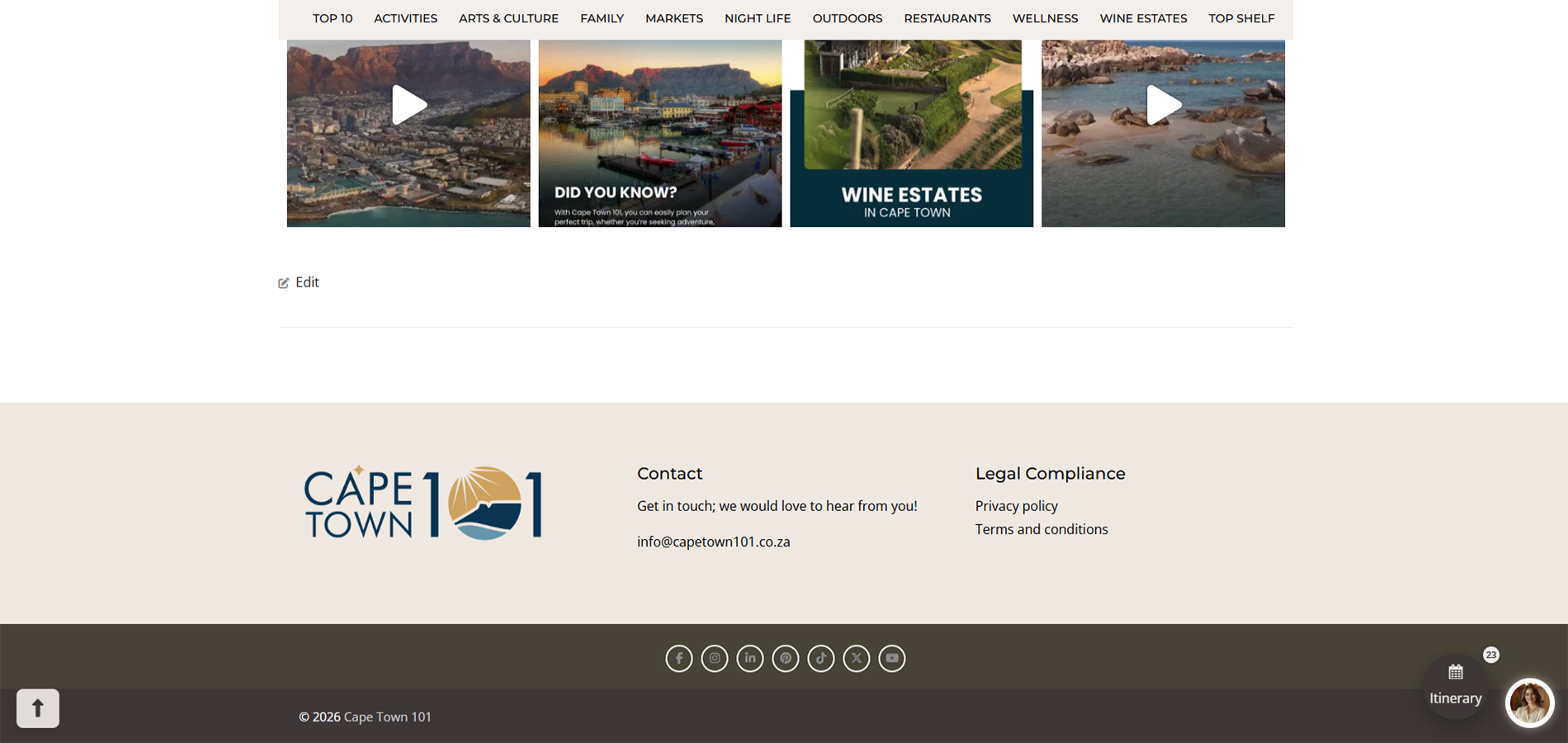
Footer - Access contact details & legal pages.
Social Links - Access to our social media.
Legal Compliance - Shortcuts to our Privacy policy & Terms and conditions
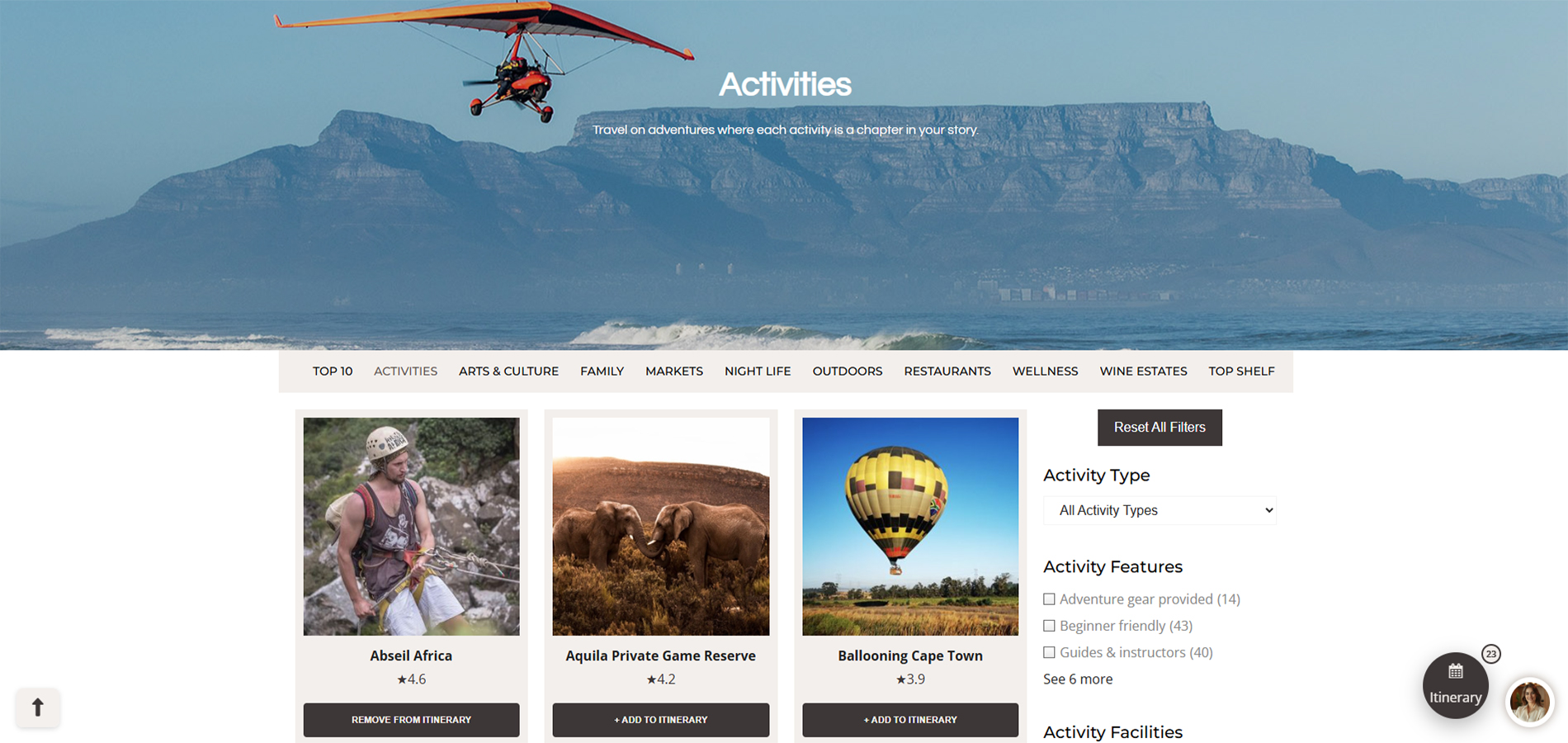
Selected Sub Menu Page
Filtering Reset Button - Used to reset all current tags
Filtering System - Used to filter listings
Listing Grid - Filtered Listings grid showing Name, Google Rating & Add to Itinerary button
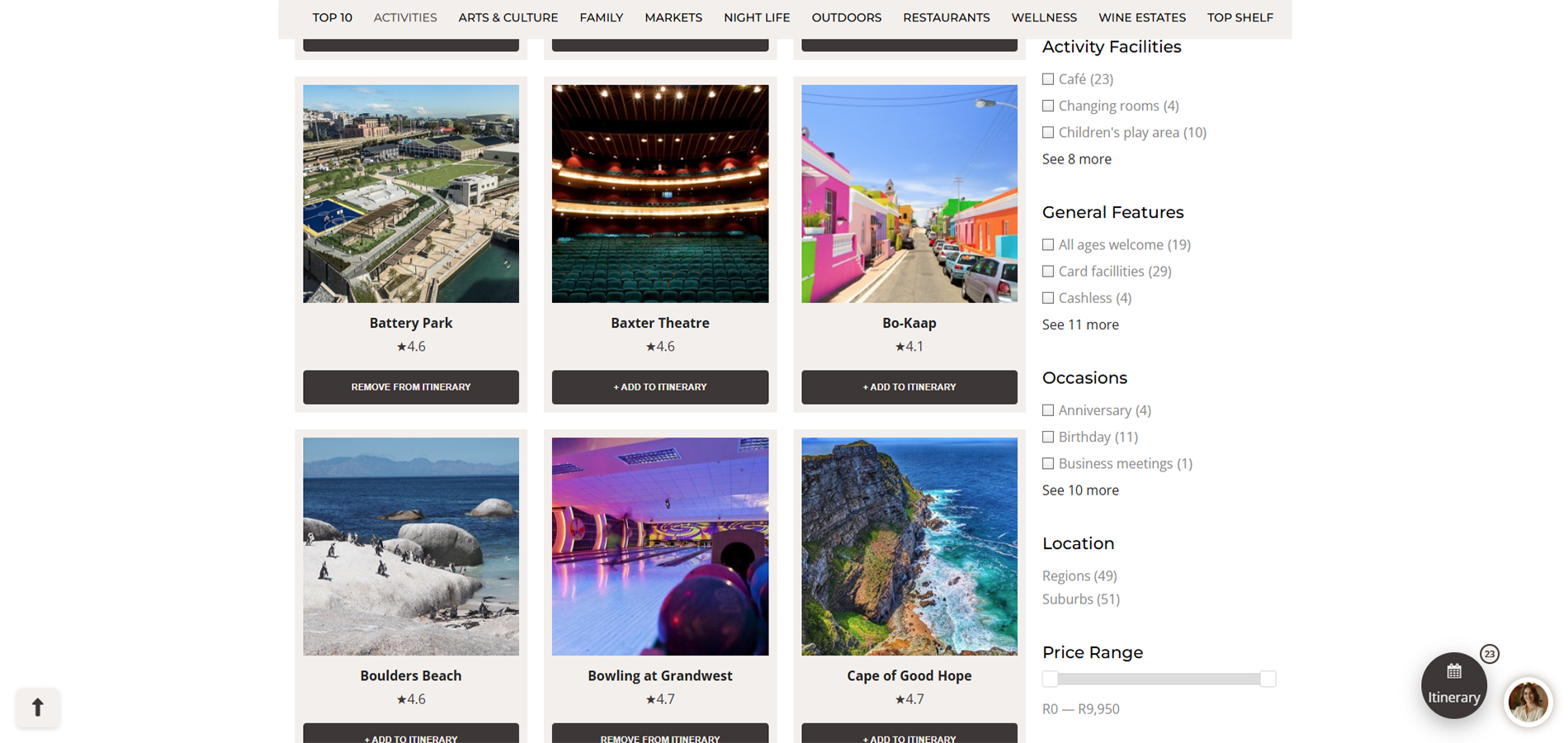
Tagging - Tags show how many listings of each in brackets
Filter Slider - Some Tags have sliders , which filter on slide.
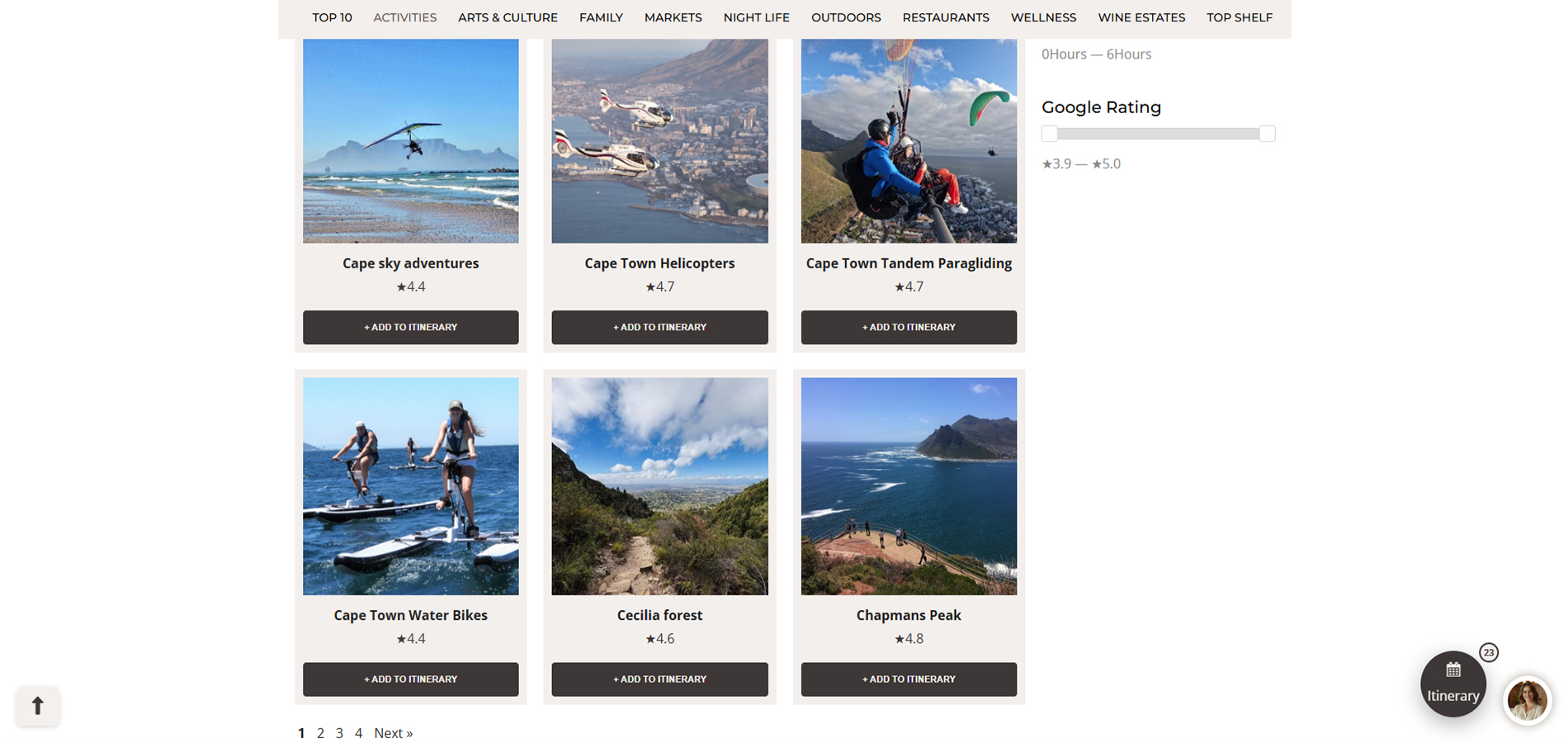
Page Numbers
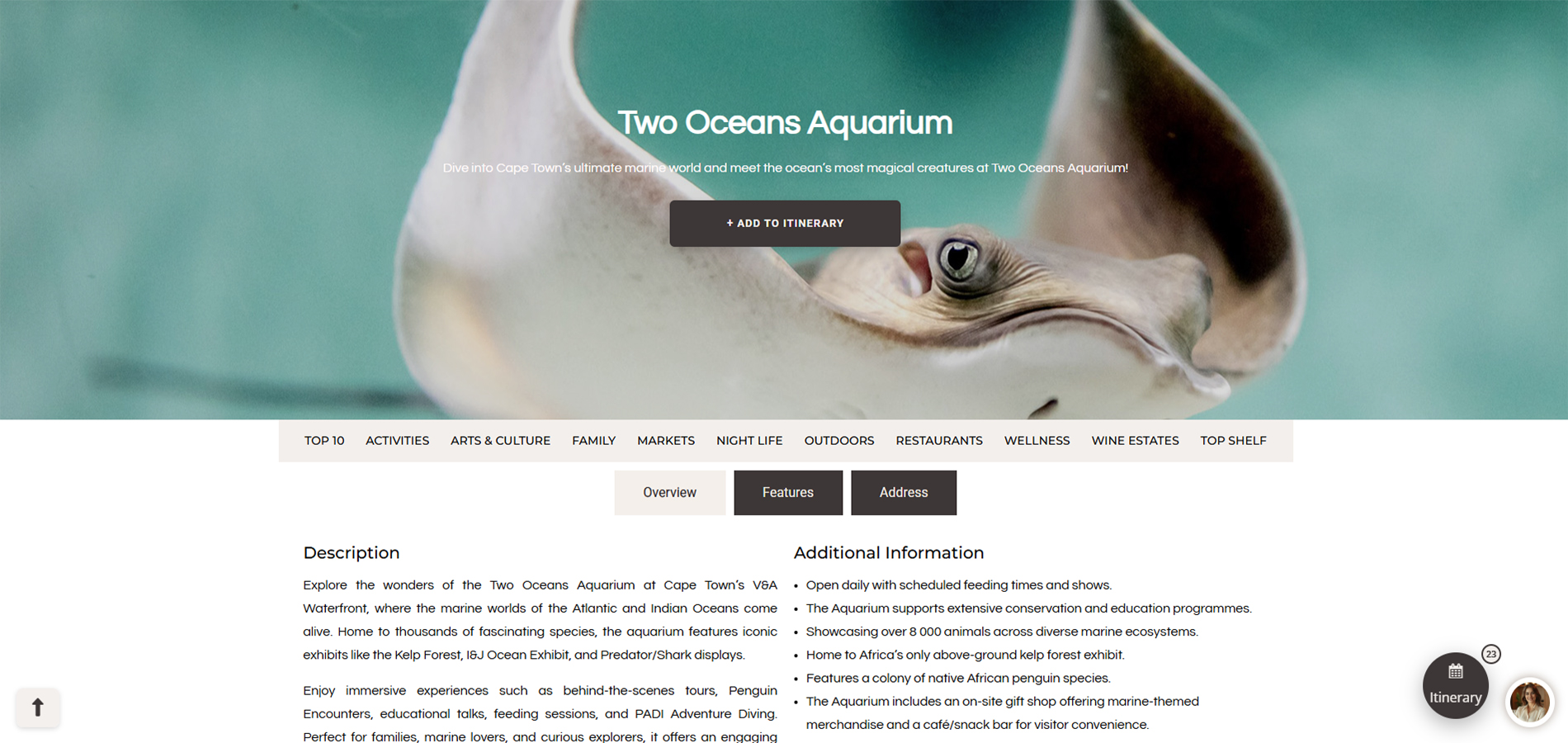
Add to Itinerary - Adds this current listing to the itinerary builder
Information Tab - Categorized information (Overview | Features | Address)
Overview Tab - All Information on the Listing
Features Tab - A List of Features and highlights of the listing.
Address Tab - Shows the address and opening times of the listing.
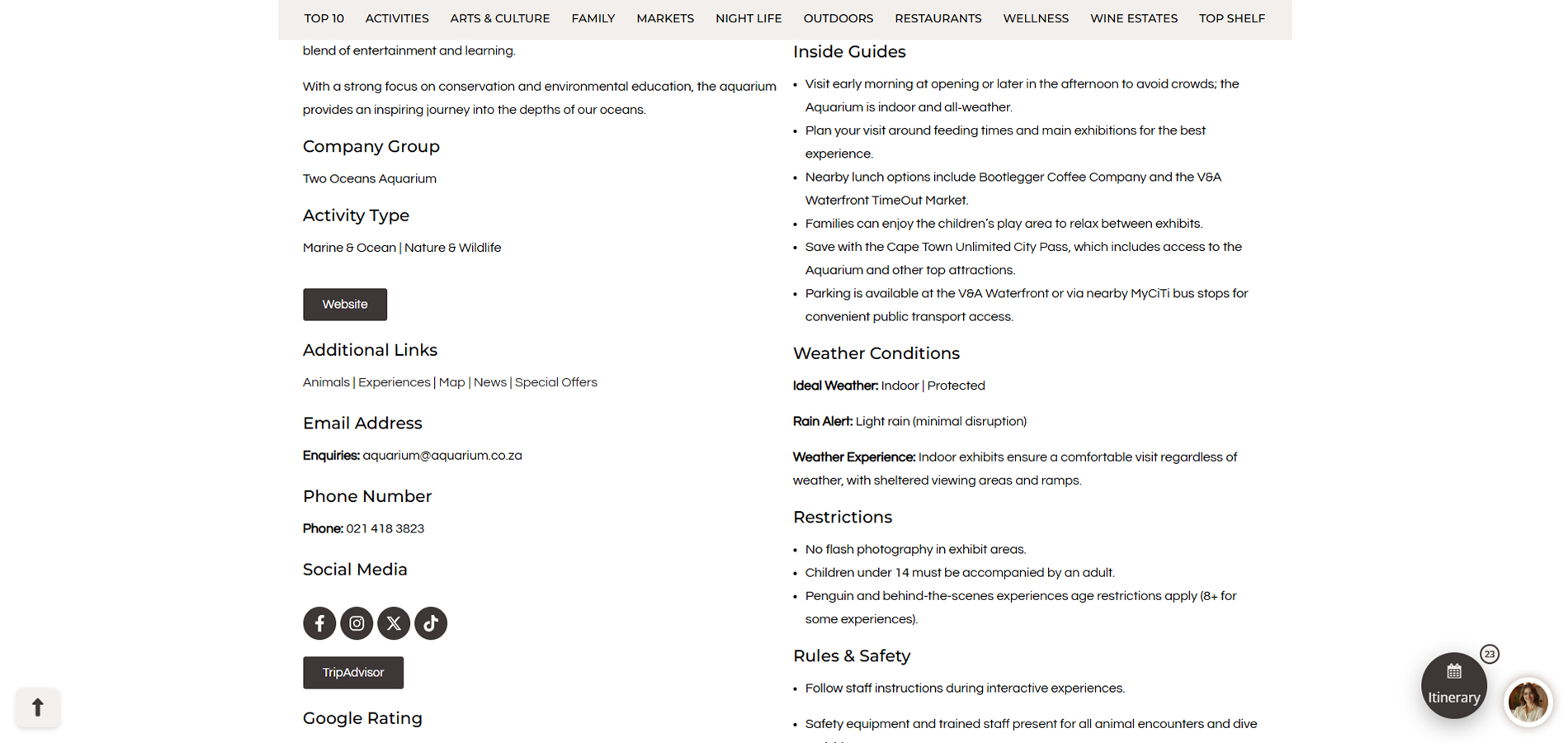
Listing Website links - Link to the website and pages
Social Media Platform Links
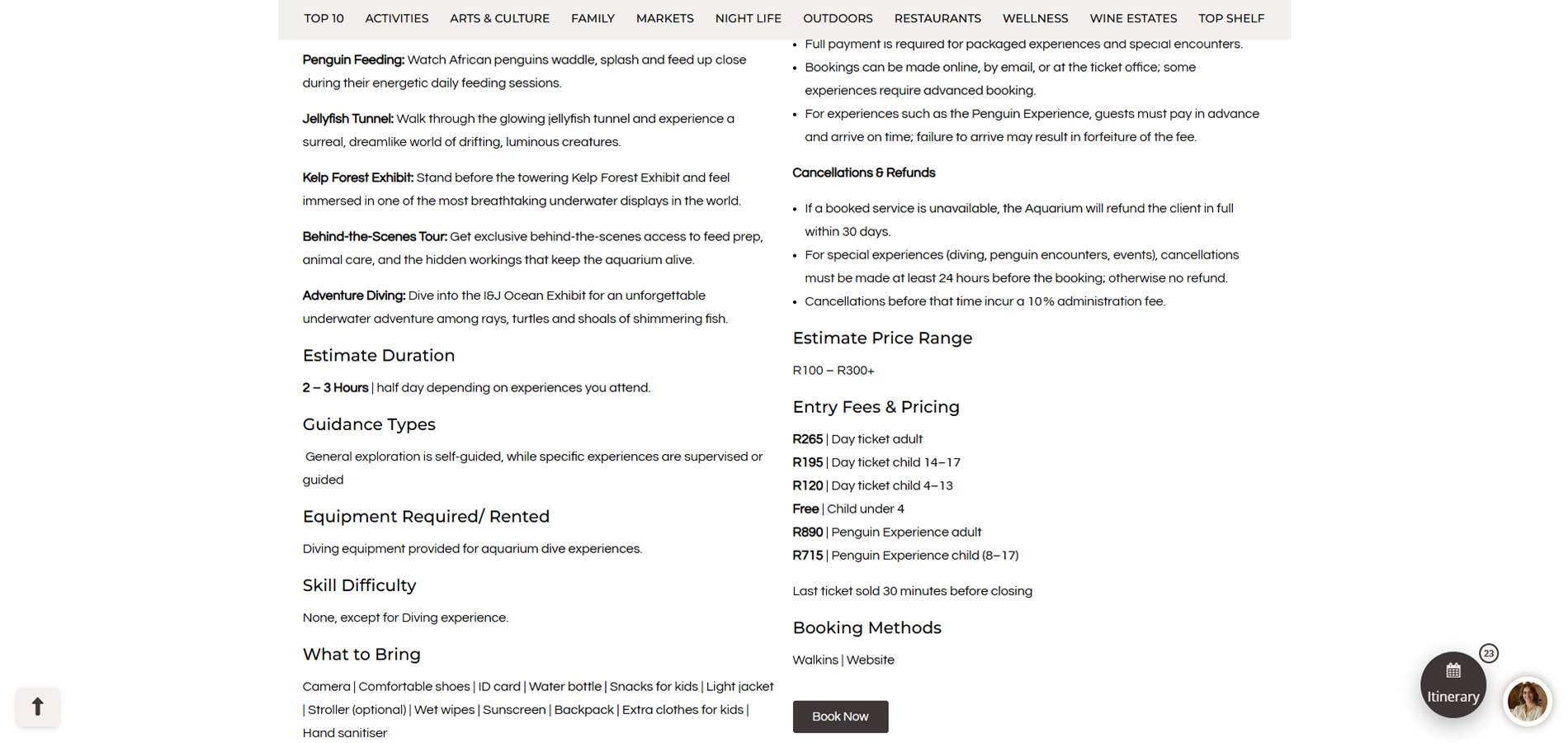
Listing Prices
Booking Link
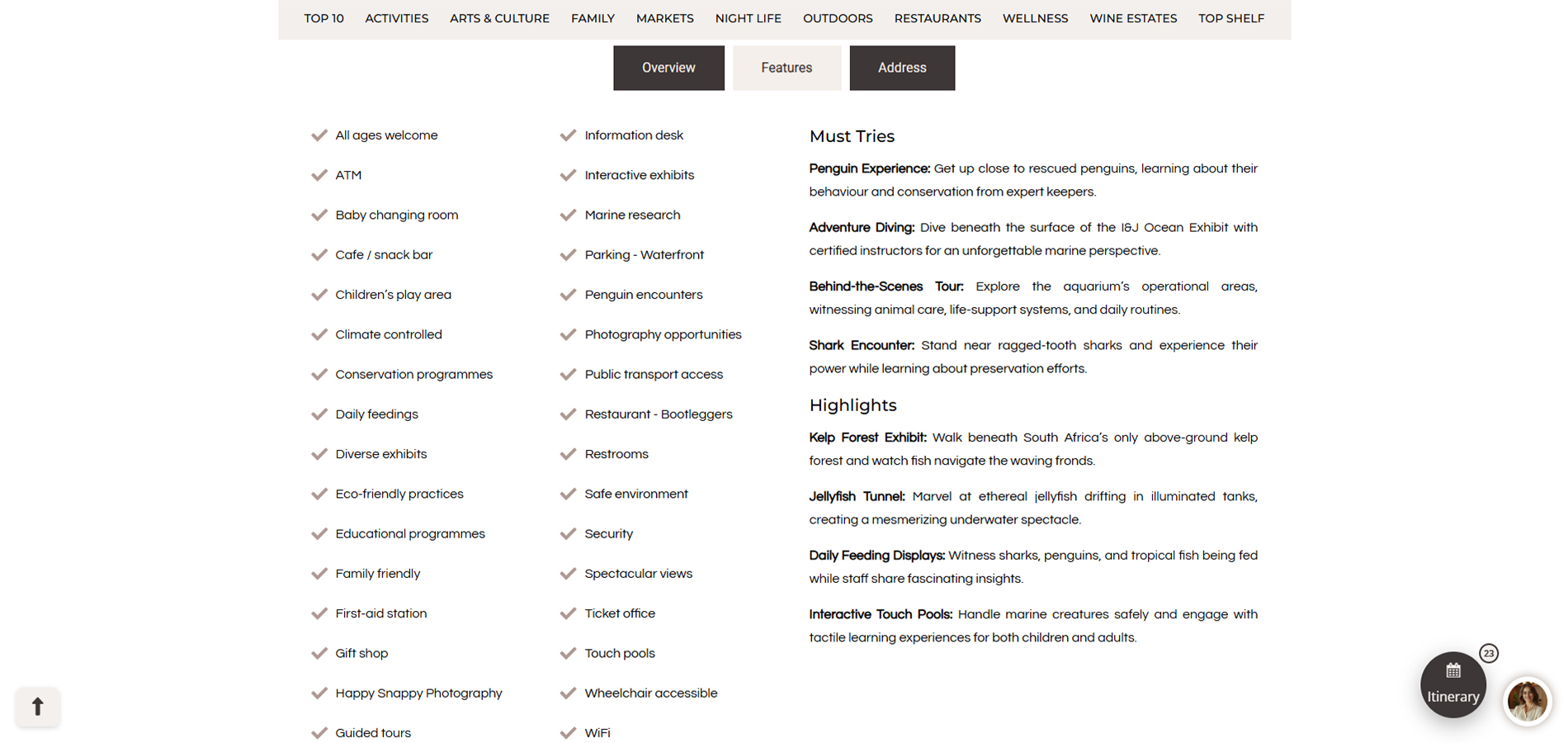
Features Tab - A List of Features and highlights of the listing.
Features List
Must Try experiences & Highlights of Listing
Ai Chatbot - Chatbox
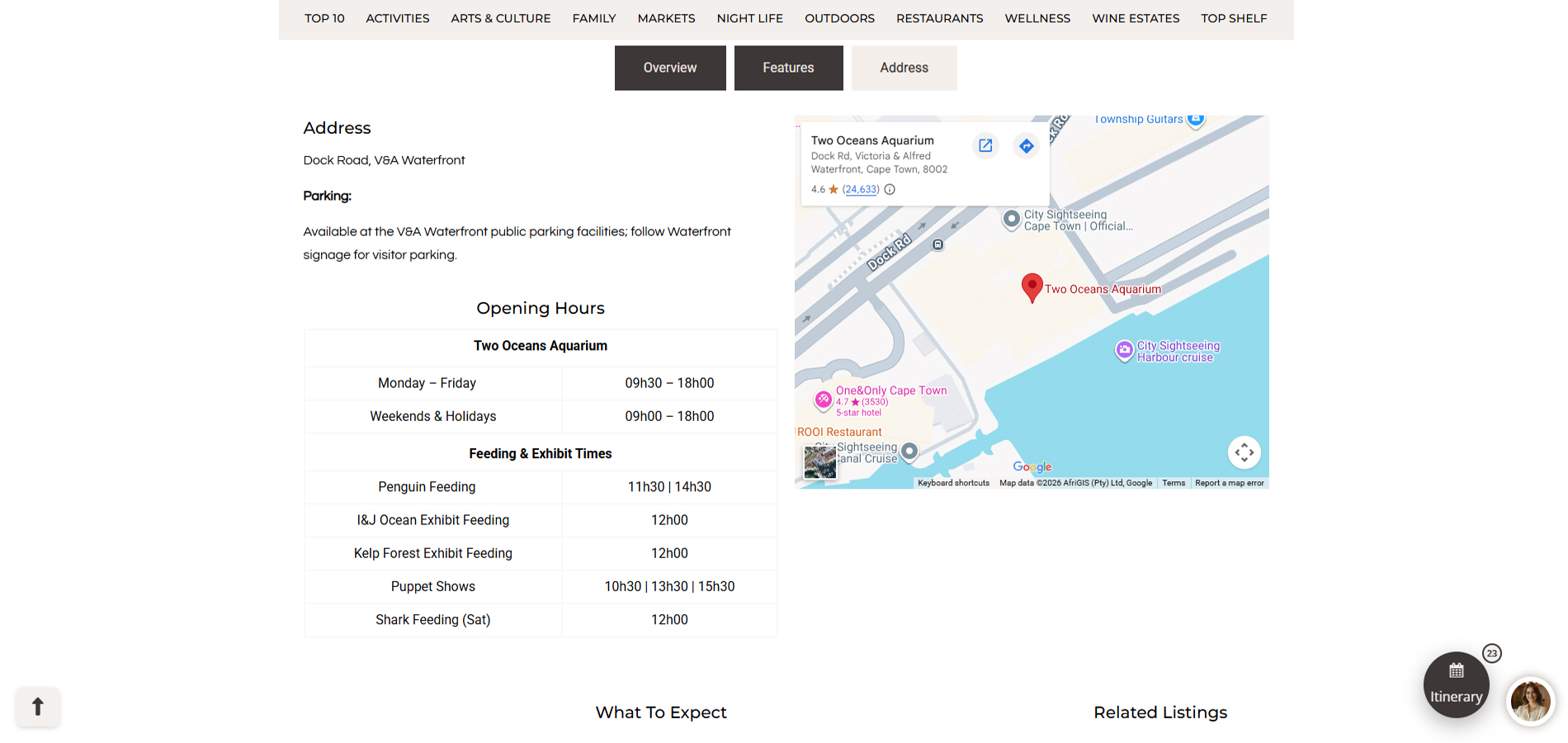
Address Tab
Address & Parking - Physical Address and available parking nearby
Opening Hours - Hours of Activities, general hours, tours or shops within the listing.
Listing Map - Map of Physical Address
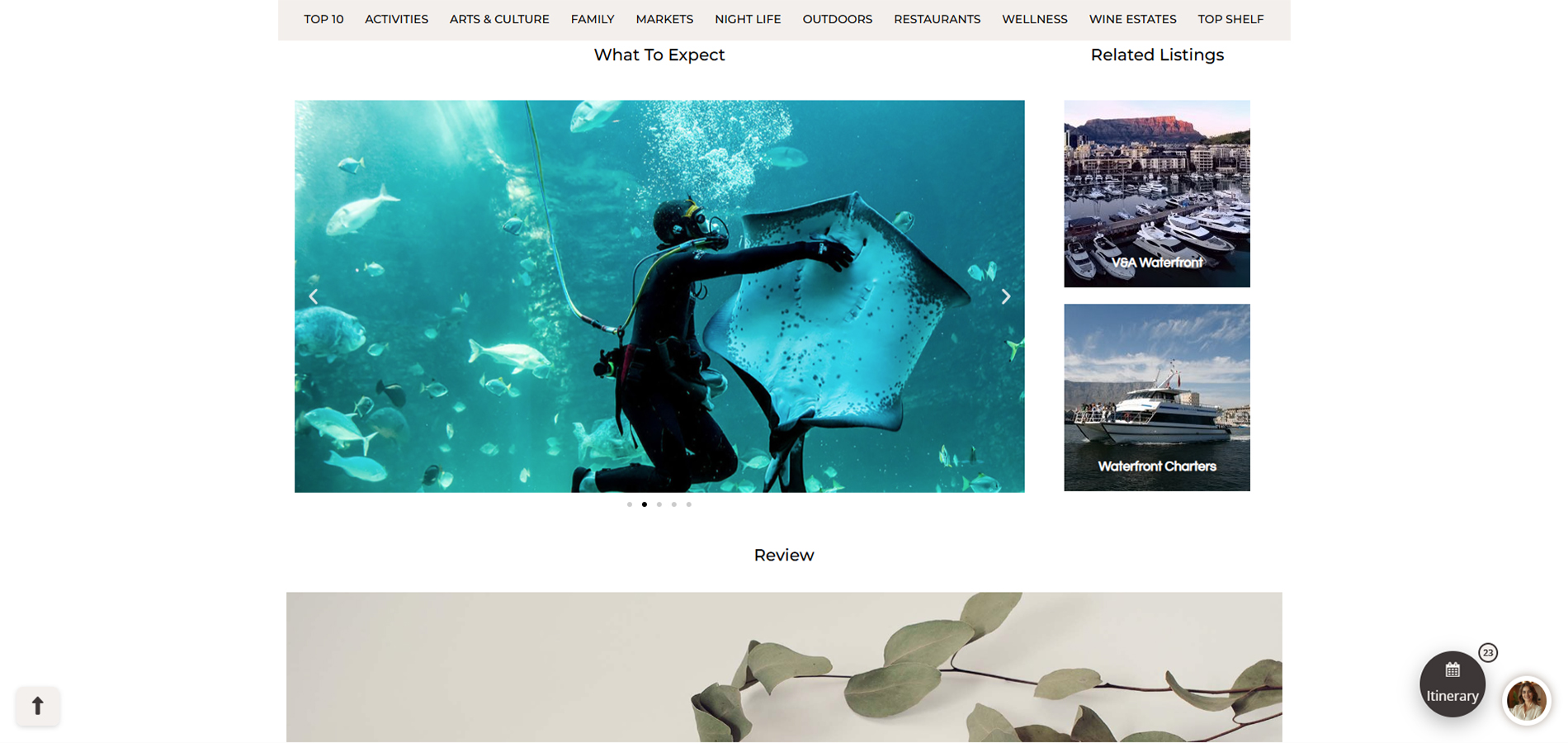
Gallery -Â Images of The listing.
Review - A video review of the listing.
Related Listings - 2 similar listings.
Travel Budget Planner
How to Use the Budget Planner - Steps to use the planner
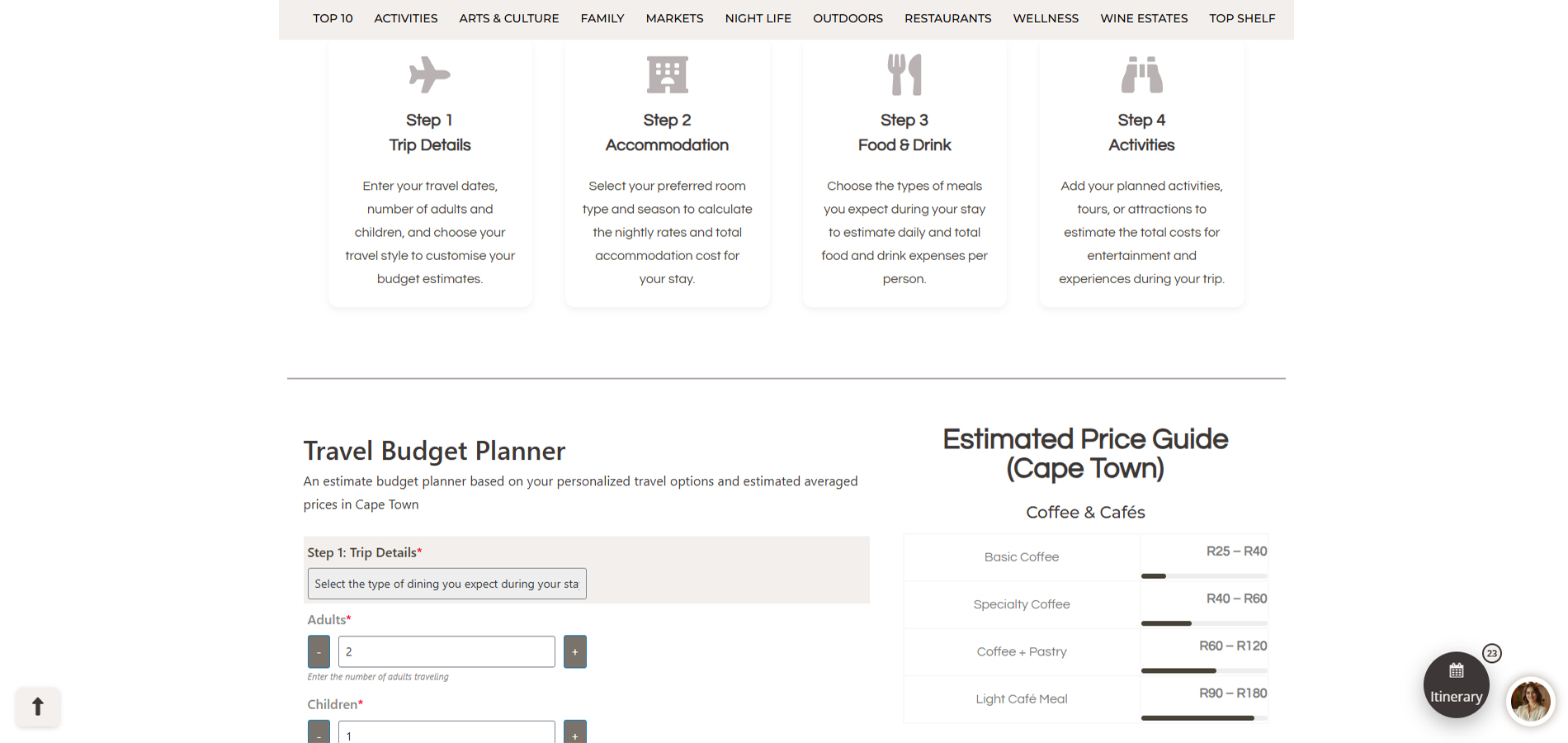
Steps to use the Budget planner
Budget Planner left Column - Answer questions for an estimate Cost on your travel preferences
Additional Budget Tools Column - Estimated average prices in Cape Town.
Estimate Currency Converter - Use to quickly see an estimate conversion rate (Rates are just estimates, not real-time)
Budget Allocator - A tool to disperse your budget amongst categories of travelling.
Budget Planner Totals - Shows total estimates from all your answers.
Travel Checklist
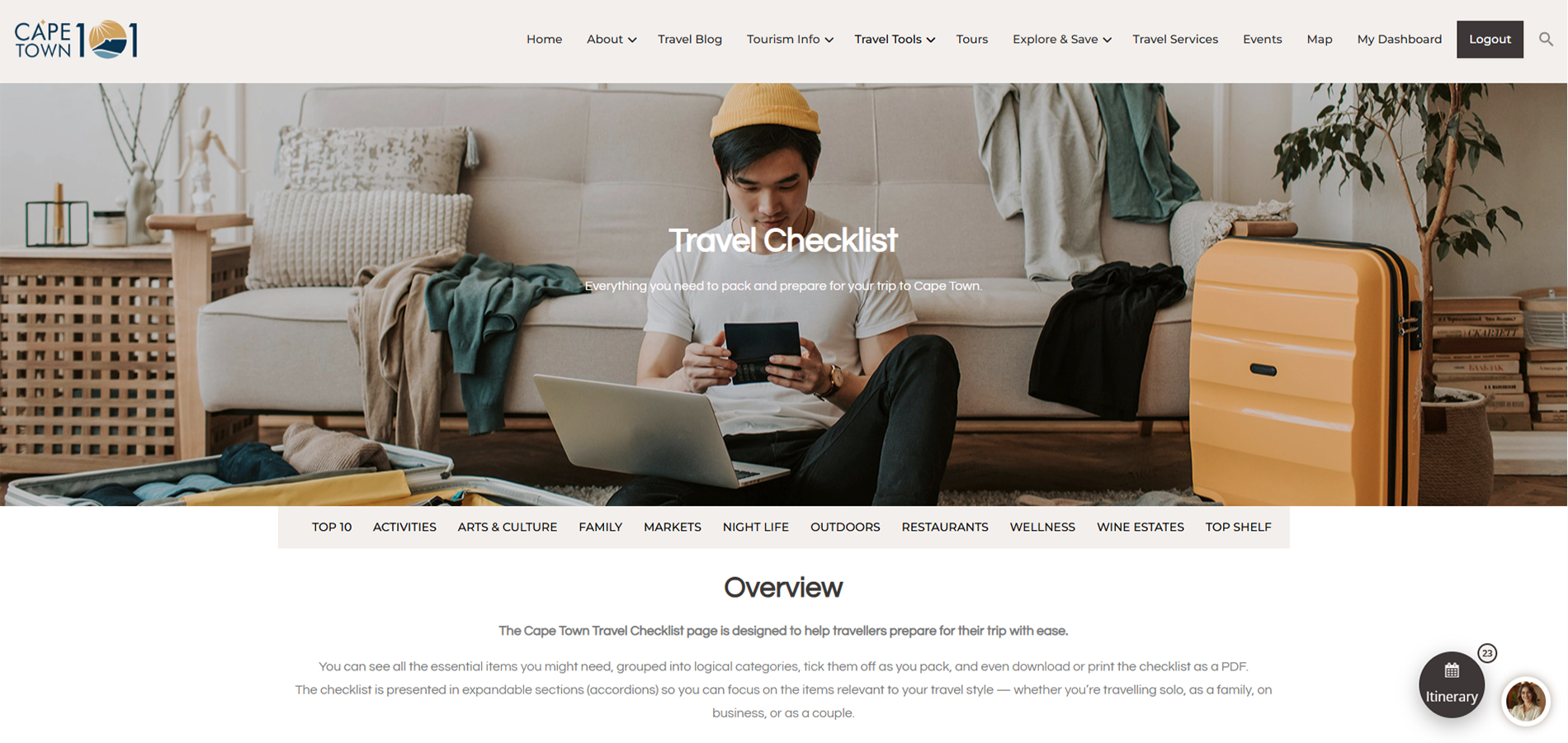
Travel Checklist Overview -Â A quick introduction to the checklists
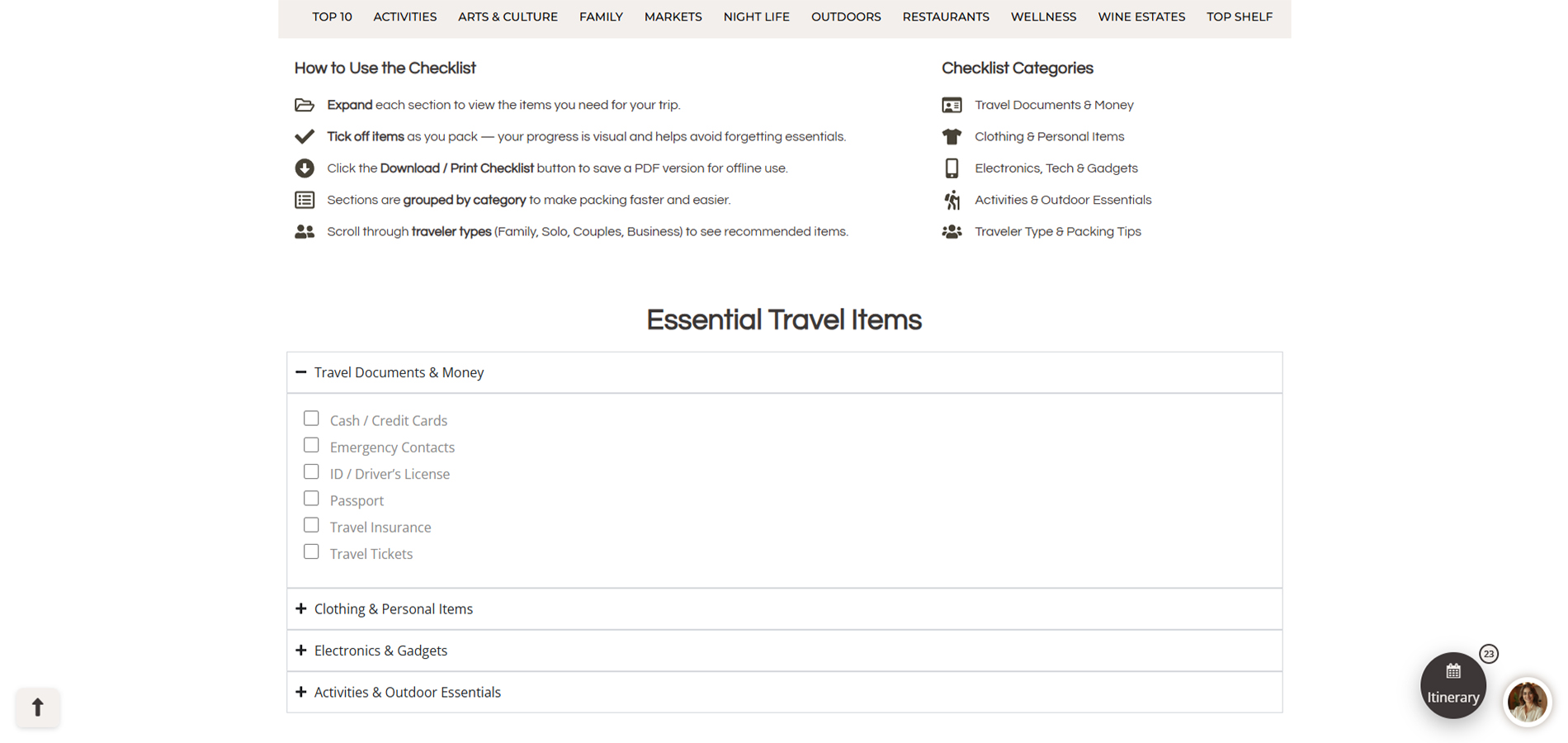
How to use the Checklist -Â Steps to use the checklist
Checklist Categories - The different categories that have specific items for each.
Essential Travel Items Checklist - A list of essentials needed when travelling.
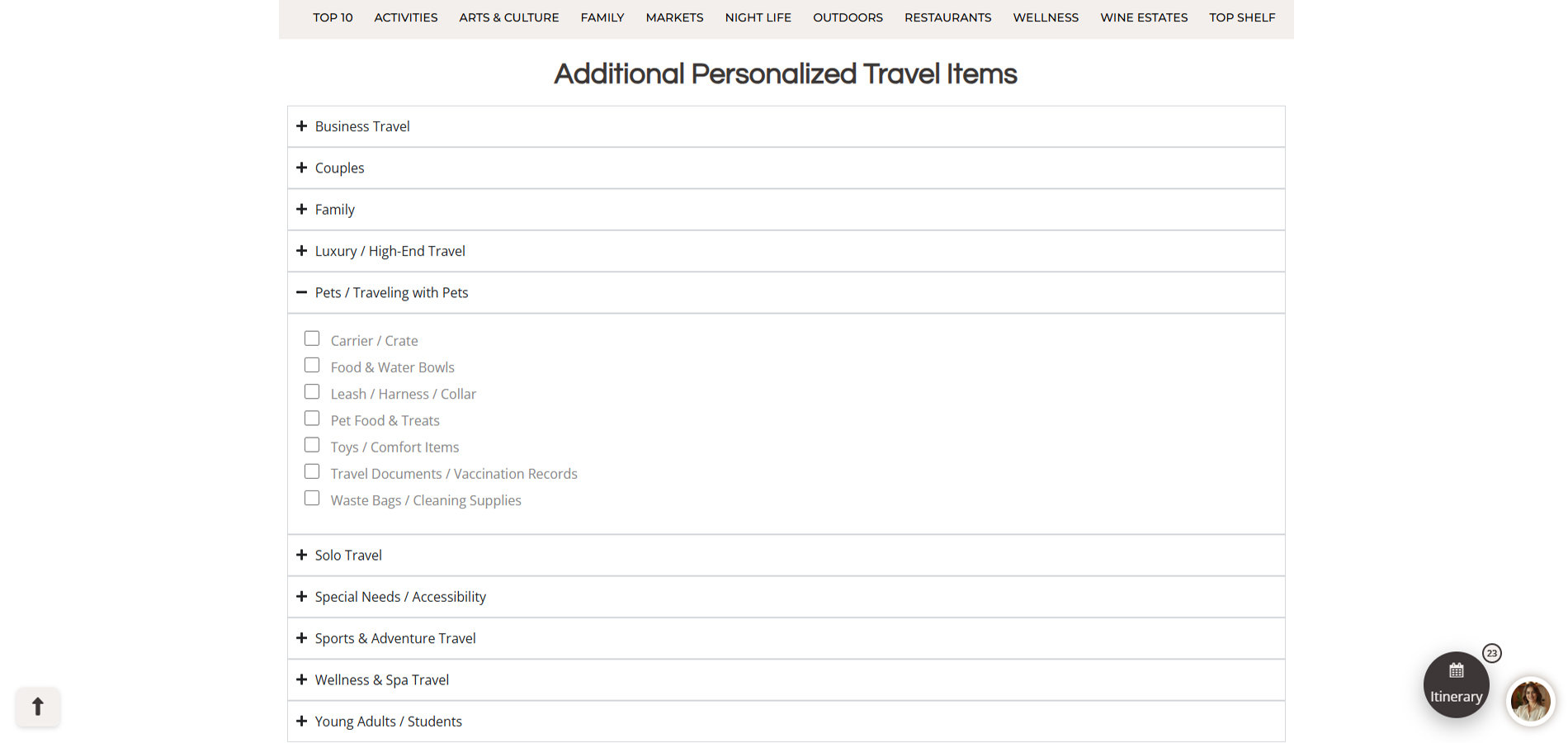
Additional Personalized List - Additional items per specific travel group.
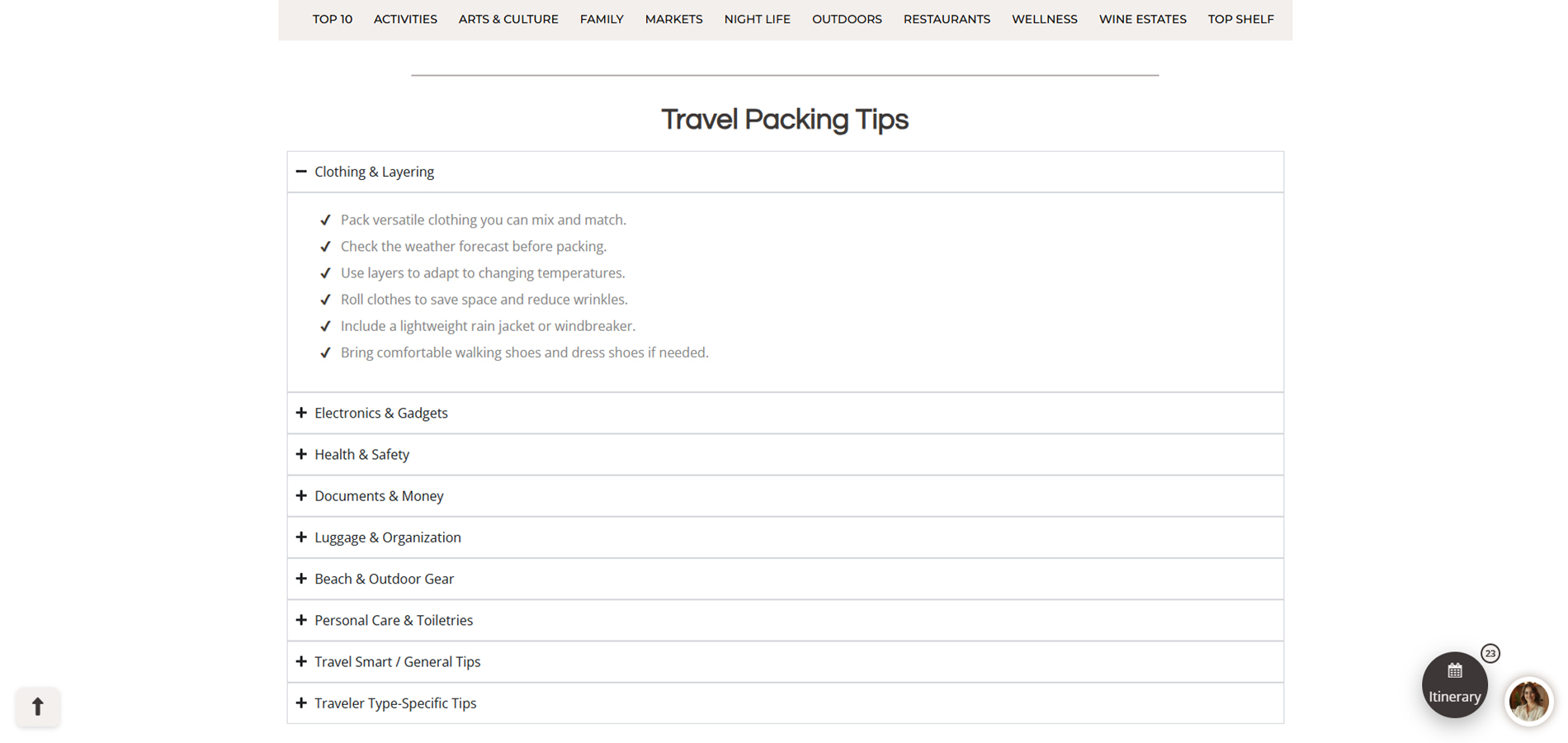
Travel Packing Tips - Tips and guides for travel packing per groups.
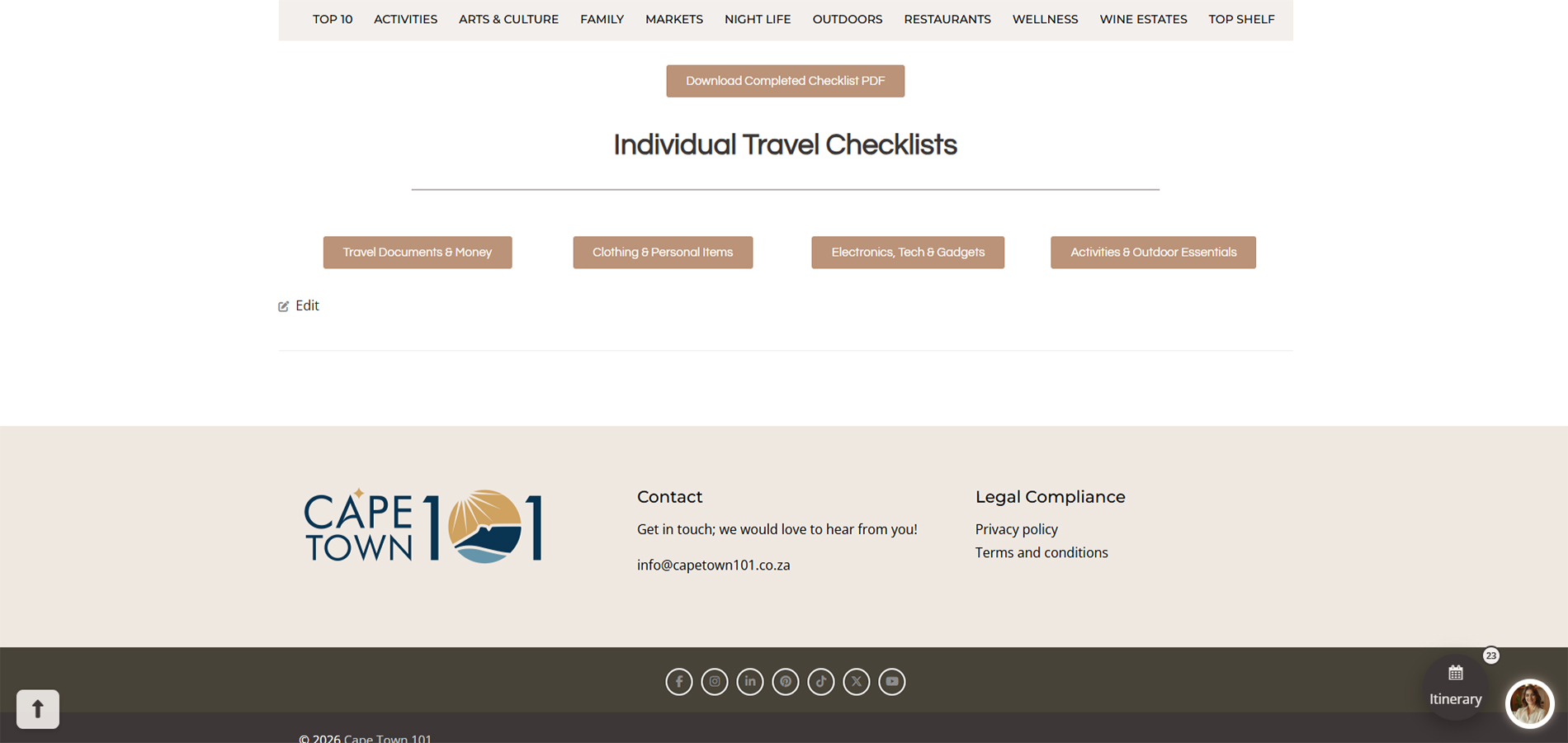
Checklist PDF Download - Download the complete travel Checklist.
Individual Travel Checklists - Download Categorized Specific Travel Checklists.
Smart Recommendations
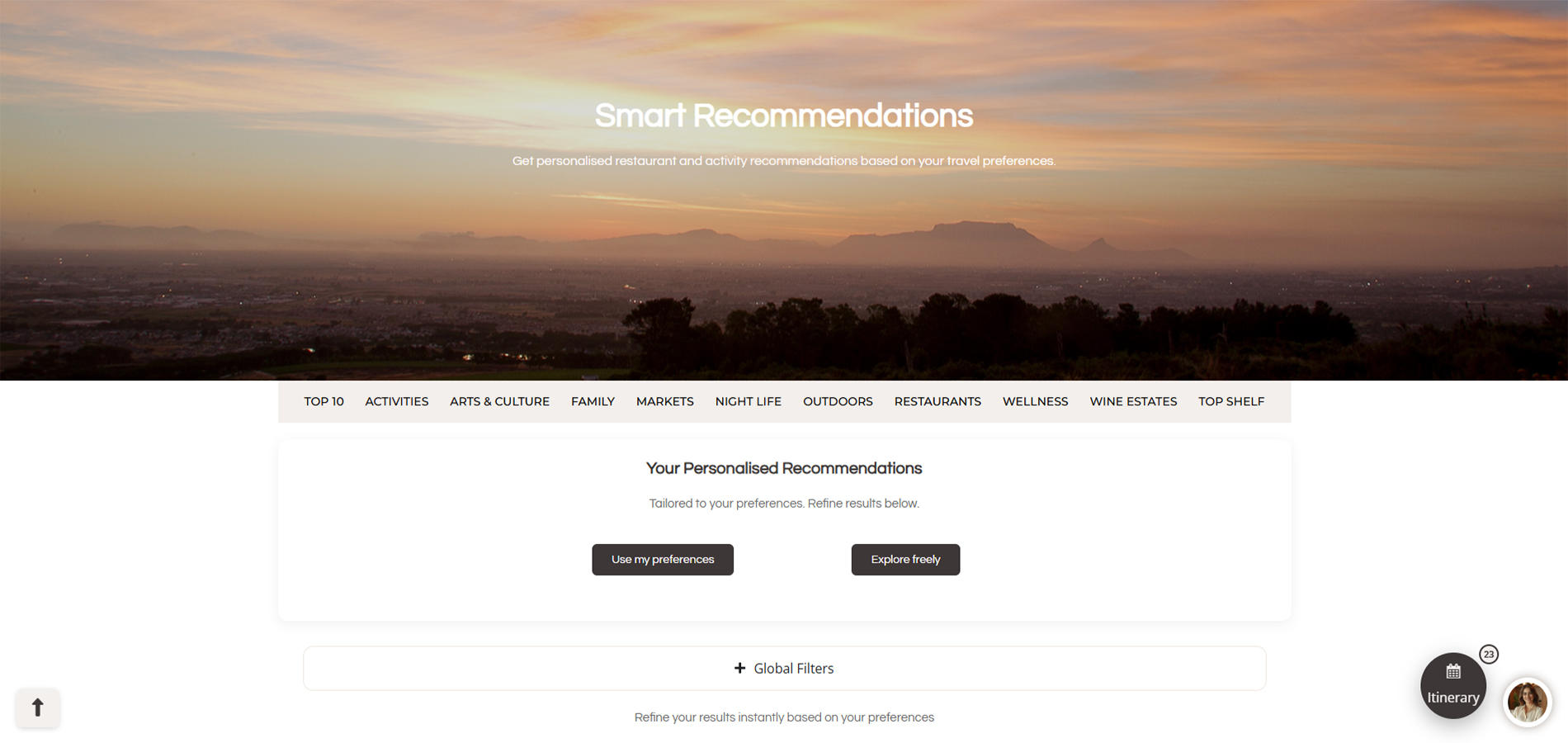
Profile Preferences Button - Used to filter recommendations using your profile preferences from the dashboard (On/Off)
Global Filters - Filters that apply to all listing groups below (Activities, Restaurants & Travel Services)
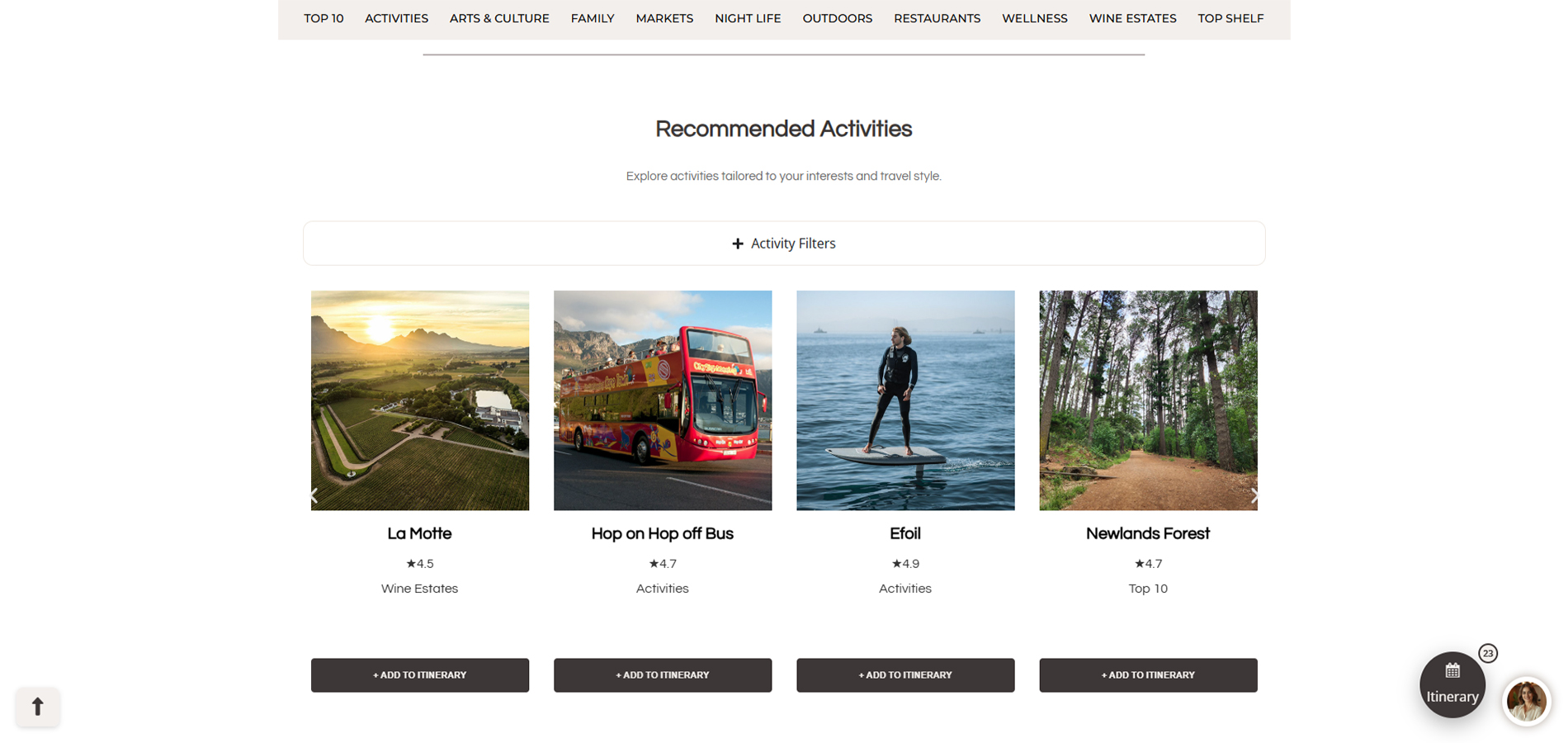
Activity Filters - Filter the below Activity listings to show specific ones.
Activity Listings - A carousel of all listings that have been filtered. Name, Google rating, Activity type & Add to itinerary button
Restaurant Filters - Filter the below Restaurant listings to show specific ones.
Restaurant Listings - A carousel of all listings that have been filtered. Name, Google rating, Restaurant type & Add to itinerary button
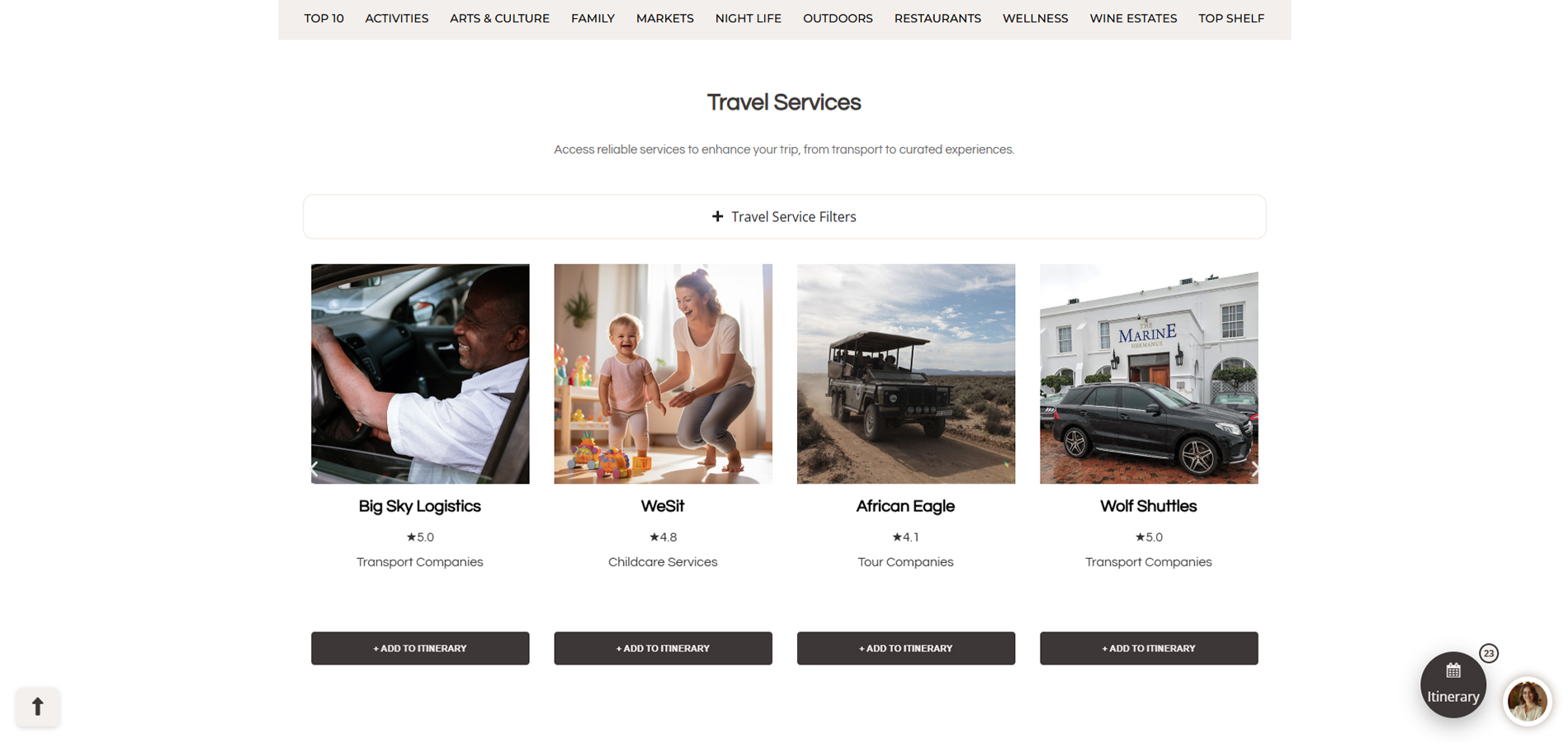
Travel Services Filters - Filter the below Travel Services listings to show specific ones.
Travel Services Listings - A carousel of all listings that have been filtered. Name, Google rating, Travel Service type & Add to itinerary button
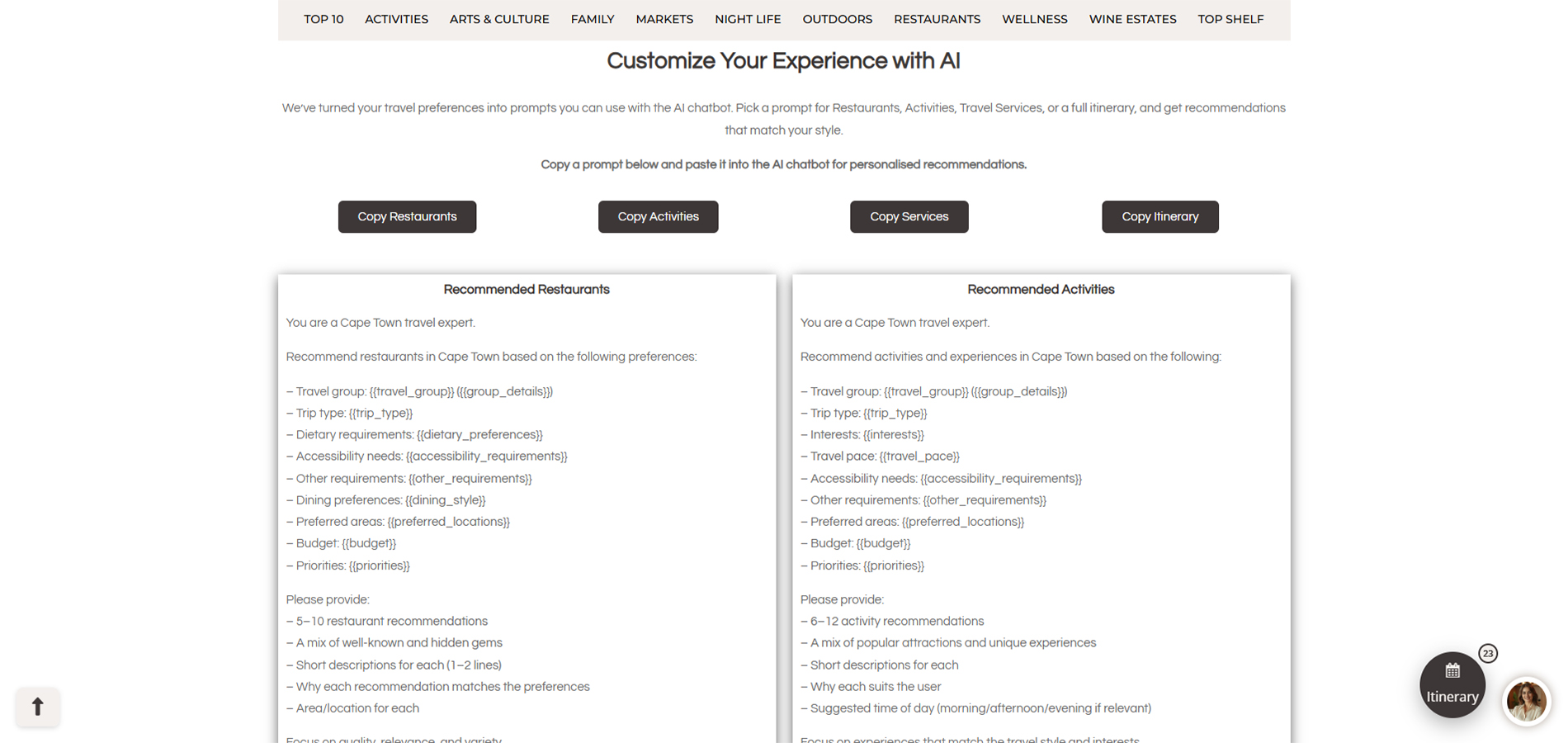
Ai prompt copy buttons - Buttons to copy the specific prompts below, prompts pull information from profile preferences on the dashboard
Ai prompts - 4 prompts that pull through information from your profile that you can use in the Ai chatbot for recommendations.
Cape Town 101 Map
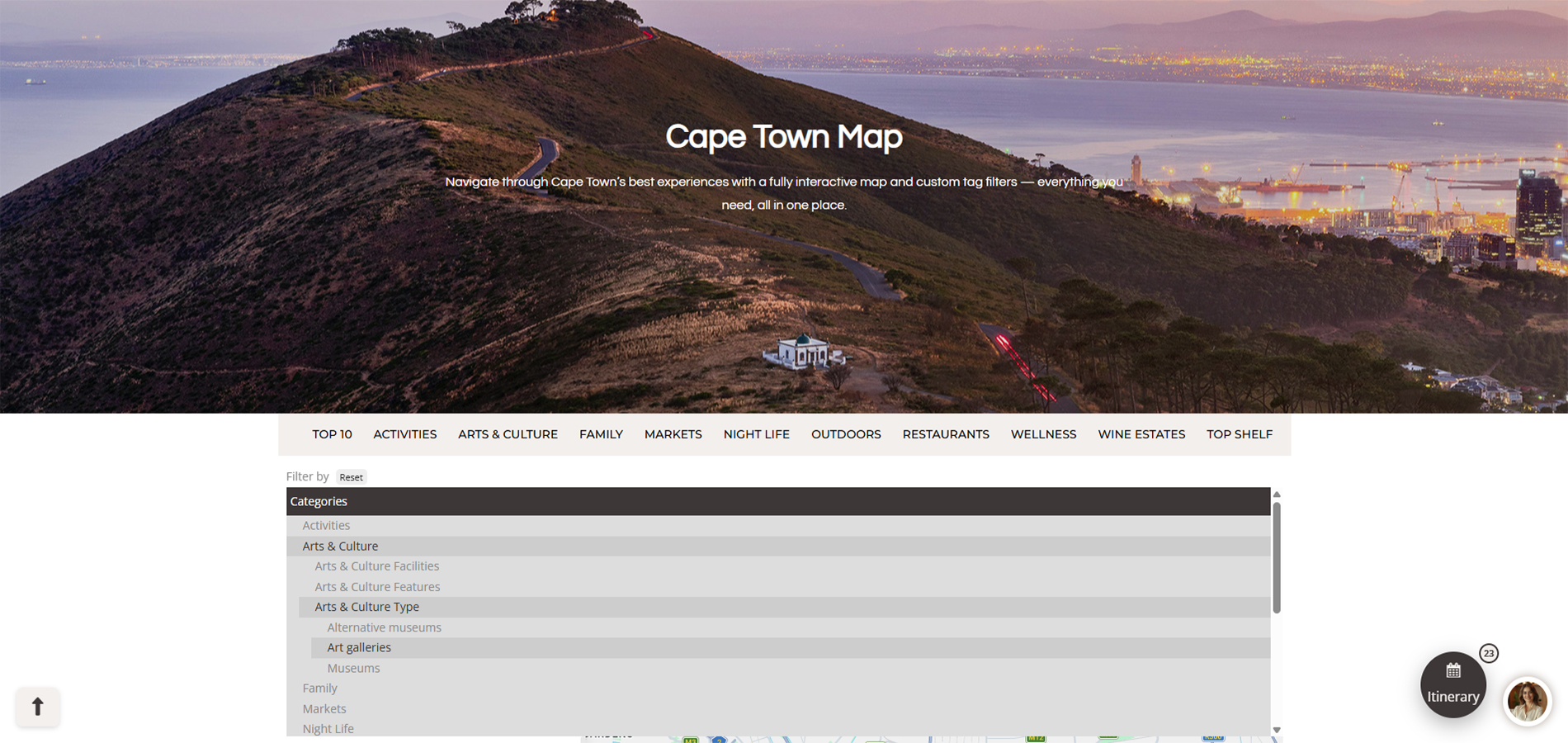
Map Tagging & Filtering - Used to filter map listing results.
Map - Shows specific listing icons images in their locations.
Search bar - Can enter location or exact listing to centre it on and find on the map.
Listing Details - Details of Listing (Name, Address, Google rating and more to view listing page)
Listing Map options - Lets you centre the map at the location, share the location, get directions or close panel.
Map Zooming - Zooming function, can also use control button and mouse wheel.
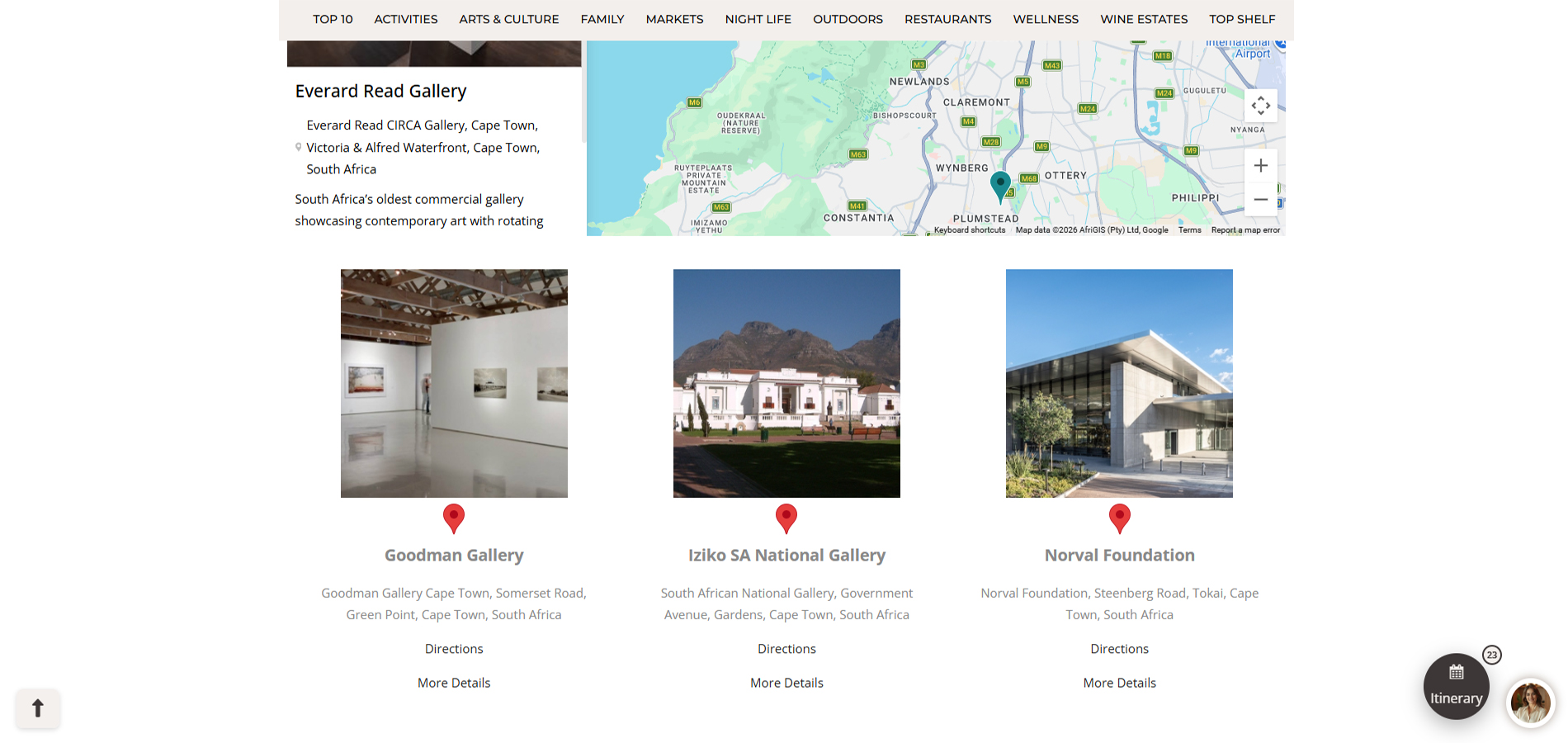
Listings Gallery - Shows a slider of Listings that are showing on the map, clicking the name will direct to the listing on the map.
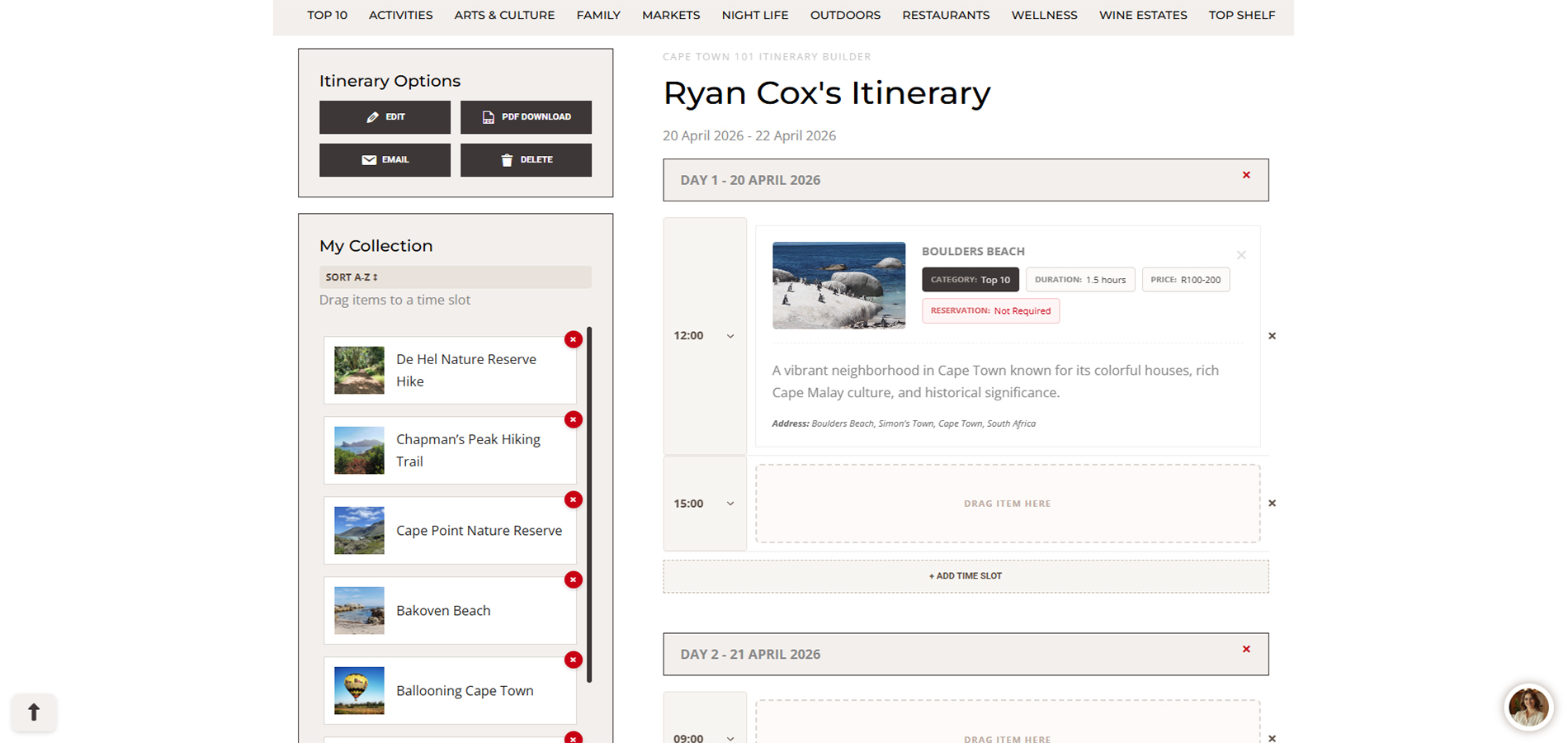
Itinerary Name - Can be changed using edit button.
Date Range of Itinerary - Can be amended using edit button.
First Date of itinerary - Remainder dates underneath, time slots are within each date.
Time slots - Times within each date, can be amended by using the pop down.
Listing Information - Added listings will apear here when dragged or inserted from "My Collection".
Empty Listing Slot - Empty slot to drag or insert a listing to.
Add New Time Slot -Â To add a new time & Listing slot within the current date.
Remove Time Slot - Click to remove the Time Slot next to the remove button.
Second Date of itinerary - Remainder dates are underneath.
Itinerary options - A list of Options (Edit dates and name, email or download Itinerary to PDF & delete itinerary.
Listing Collection - A collection of all added Listings go here, where you can insert or drag onto the itinerary empty time slots. Can be sorted Alphabetically.
Profile Details - Username, profile picture & current active Subscription.
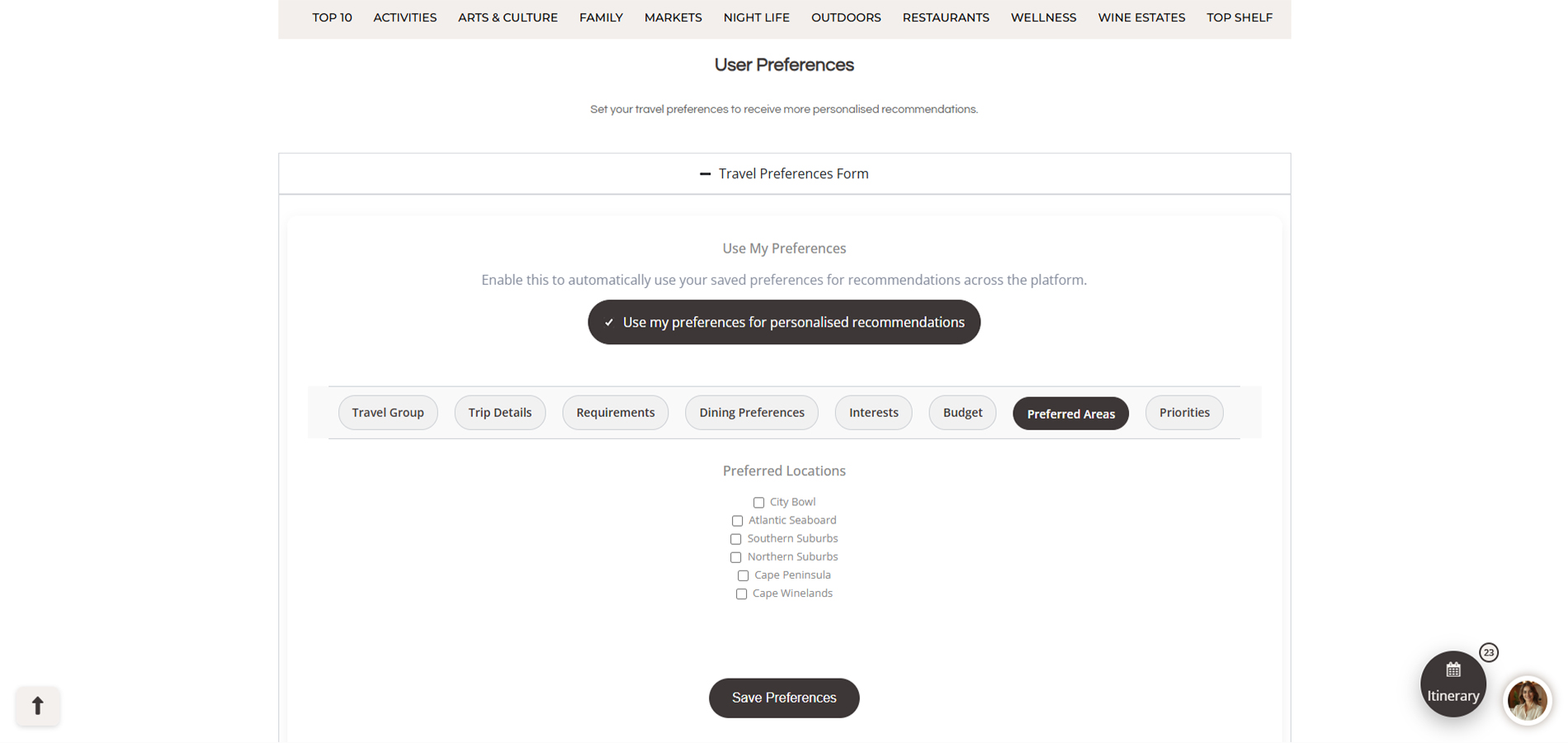
Preferences Form - A form to enter in your details and preferences, this is used for our smart recommendations tool.
Preferences Button - Used to turn smart preferences on or off for the smart recommendations page.Â
Save preferences - used to submit and save your form information to your user.
Smart Recommendations - A link to the page to show recommendations based on your preferences form.
Travel Tools Links - Links to the Travel tool pages, Budget planner to see estimate costs, Checklist to make sure you packed everyting, Itinerary Builder to design your perfect itinerary.
Account links - Links to your account details, subscriptions billing, changing user password and cancel membership.
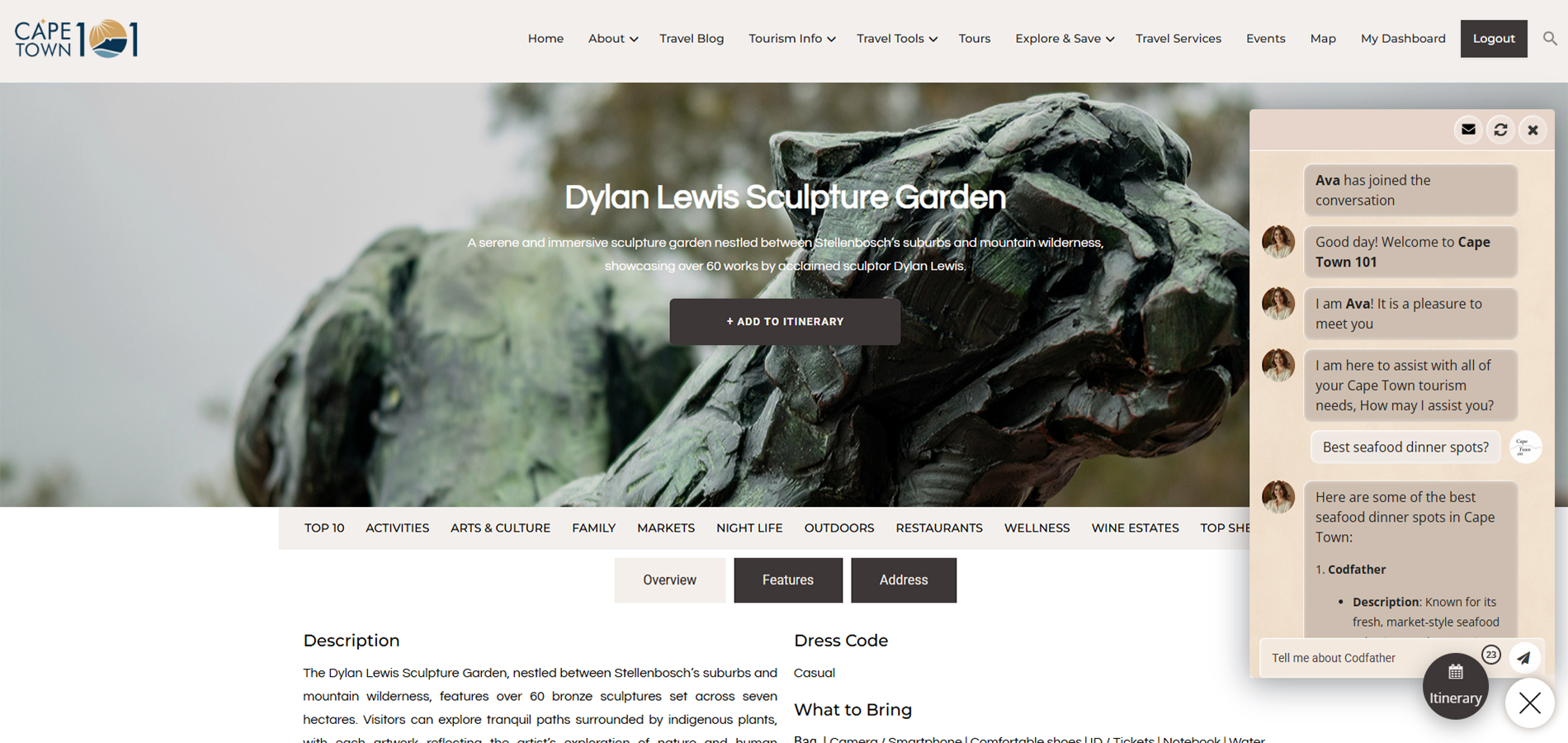
Chatbot Button - Button to open or close the Ai chatbot.
Chatbot options - Send transcript to email, reset session or close chatbot.
Message Section - Section to type your message to the ai chatbot.
Send Message Button - Click this to send the message or press enter on the keyboard after typing a message.

What Can You Ask the AI Assistant?
Ask anything about Cape Town — from planning your trip and finding top experiences to restaurants, transport, and personalised recommendations. Use these example questions to get the most out of your AI concierge.
Planning Your Trip
- What is the best time of year to visit Cape Town?
- How many days do I need in Cape Town?
- What areas should I stay in as a tourist?
- Is Cape Town safe for tourists?
- Do I need to rent a car or can I use Uber?
- What should I pack for Cape Town weather?
- What are the must-see attractions in Cape Town?
- Can you help me plan a 3/5/7 day itinerary?
- What is Cape Town known for?
- Are there any local tips I should know before visiting?
Things To Do & Experiences
- What are the best things to do in Cape Town?
- What are unique or hidden gem experiences?
- What are the best outdoor activities in Cape Town?
- What can I do in Cape Town for free?
- What are the best beaches to visit?
- What are the top hiking trails?
- What are the best day trips from Cape Town?
- What can I do on a rainy day in Cape Town?
- What are the most Instagram-worthy spots?
- What are the best sunset spots in Cape Town?
Food, Restaurants & Nightlife
- What are the best restaurants in Cape Town?
- Where can I find local South African food?
- What are the best fine dining restaurants?
- Where should I go for breakfast or brunch?
- What are the best wine farms to visit?
- Where can I go for cocktails or nightlife?
- Are there any markets worth visiting?
- What are the best seafood restaurants?
- Where can I eat with a view?
- Do I need to book restaurants in advance?
Getting Around & Practical Info
- How do I get around Cape Town?
- Is Uber safe and reliable in Cape Town?
- What is the best way to get from the airport?
- How much does transport cost in Cape Town?
- Do I need cash or can I use card everywhere?
- What emergency numbers should I know?
- What plug type is used in South Africa?
- Is tipping expected in Cape Town?
- What are typical prices for tourists?
- Are there any areas I should avoid?
Personalised Recommendations
- Can you build me a custom itinerary?
- What should I do today based on the weather?
- Recommend things to do near me
- What are good activities for couples?
- What are family-friendly activities in Cape Town?
- What are good solo travel experiences?
- Suggest a romantic day in Cape Town
- Plan a budget-friendly day in Cape Town
- Suggest a luxury day in Cape Town
- What should I do this weekend in Cape Town?